What is asdf?
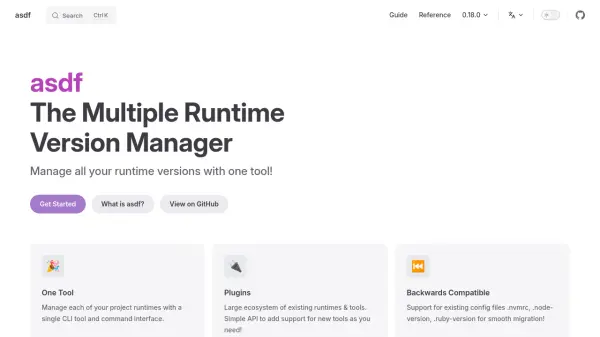
asdf is a command-line interface (CLI) tool designed to manage runtime versions for various programming languages and development tools. It provides a single, unified interface to handle multiple runtimes, eliminating the need for separate version managers for each tool. Users can install, switch, and manage versions across different projects using a consistent set of commands.
The tool utilizes a plugin-based architecture, allowing it to support a wide range of existing runtimes and tools through an extensive ecosystem. It maintains backward compatibility by supporting existing configuration files such as .nvmrc, .node-version, and .ruby-version, facilitating smooth migration from other version managers. Configuration is centralized in a single .tool-versions file, which can be shared across teams and projects for consistent environment setup.
Features
- One Tool: Manage all runtime versions with a single CLI tool and command interface
- Plugins: Large ecosystem of existing runtimes and tools with a simple API to add new tools
- Backwards Compatible: Support for existing config files like .nvmrc, .node-version, .ruby-version for smooth migration
- One Config File: .tool-versions file to manage all tools, runtimes, and versions in a single, sharable place
- Shells: Supports Bash, ZSH, Fish, and Elvish with completions available
- GitHub Actions: Provides a GitHub Action to install and utilize .tool-versions in CI/CD workflows
Use Cases
- Managing multiple runtime versions for different programming languages in development projects
- Simplifying environment setup across teams by sharing a single configuration file
- Migrating from other version managers like nvm or rbenv with backward compatibility
- Integrating version management into CI/CD pipelines using GitHub Actions
- Supporting multiple shell environments with command completions for efficient workflow