What is Analytic Solver Cloud?
Analytic Solver Cloud is a comprehensive Office add-in designed to integrate advanced analytical capabilities directly into Microsoft Excel. This tool allows users to create and manage optimization models, perform Monte Carlo simulations, conduct data mining operations, and develop machine learning models within the familiar Excel environment. The platform supports Excel for the Web, Excel for Mac, and Excel for Windows, providing a seamless experience across different operating systems.
Developed over five years, Analytic Solver Cloud offers a superior user experience for building complex analytical models in "native Excel." It replaces the older Analytic Solver website, which was discontinued in 2019. The tool is particularly useful for educational purposes, with resources available for students and instructors to facilitate learning and implementation of analytical techniques.
Features
- Optimization Modeling: Build and solve optimization problems directly in Excel
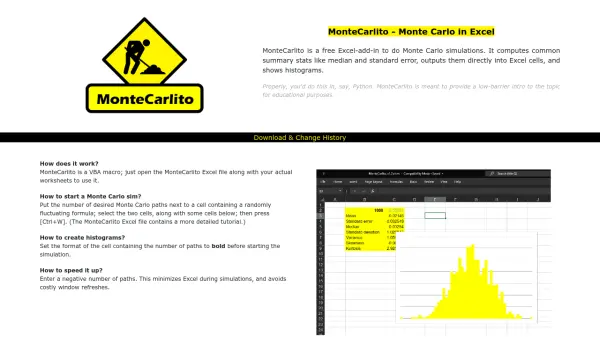
- Monte Carlo Simulation: Perform risk analysis and probabilistic modeling with simulation capabilities
- Data Mining: Extract insights and patterns from datasets using integrated data mining tools
- Machine Learning: Develop and deploy machine learning models within the Excel interface
- Cross-Platform Support: Works with Excel for Web, Excel for Mac, and Excel for Windows
Use Cases
- Business optimization and resource allocation planning
- Financial risk analysis through Monte Carlo simulation
- Customer segmentation and pattern discovery via data mining
- Predictive modeling and forecasting using machine learning algorithms
- Academic instruction and learning of analytical techniques in Excel
FAQs
-
What versions of Excel does Analytic Solver Cloud support?
Analytic Solver Cloud supports Excel for the Web, Excel for Mac, and Excel for Windows. -
How can students get started with Analytic Solver Cloud?
Students should visit the specified page on Solver.com for step-by-step instructions and may need a Course Code from their instructor. -
What is the difference between Analytic Solver Cloud and Analytic Solver Desktop?
Analytic Solver Cloud is a modern Office add-in that works across platforms, while Analytic Solver Desktop is available for download specifically for Excel on Windows. -
Who should I contact if I don't have a Course Code for my class?
Instructors should contact support at 888-831-0333 or email [email protected] to set up a Course Code for their class. -
When was the original Analytic Solver website replaced?
The original Analytic Solver website was replaced in 2019 by Analytic Solver Cloud.