
What is Amazfit Bip Watchfaces?
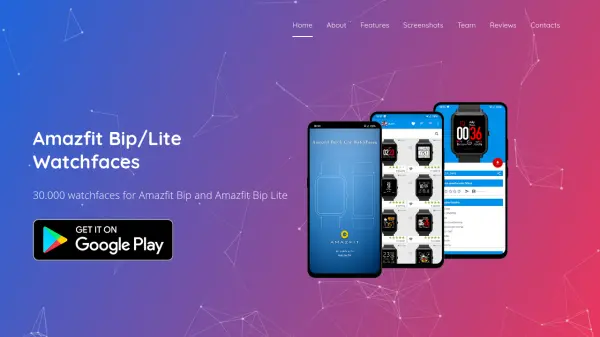
Amazfit Bip Watchfaces provides a comprehensive platform for customizing Amazfit Bip and Amazfit Bip Lite smartwatches with an extensive library of over 30,000 watchfaces. The service supports 25 languages, including English, Spanish, Portuguese, Russian, and Chinese, making it accessible to a global audience. Users can easily browse, download, and apply watchfaces through the MiFit or AmazFit apps, with features like favorites, a community forum, and fast customer support enhancing the experience.
The platform emphasizes simplicity and speed, allowing users to quickly select and install new watchfaces to personalize their devices. With high user ratings and millions of downloads, it has become a popular choice for Amazfit owners seeking variety and ease of use. The app is free to use, with options to remove ads, and includes detailed installation guides for different watch versions to ensure compatibility and smooth operation.
Features
- User Friendly: Intuitive and easy-to-use interface for seamless navigation
- Super Fast Speed: Quick selection, download, and application of watchfaces via MiFit or AmazFit apps
- Favorite Watchfaces: Ability to add watchfaces to a favorites list for easy access
- Watchface Forum: Community feature for sharing comments and interacting with other users
- Very Fast Support: Immediate response to user inquiries and issues
Use Cases
- Personalizing Amazfit Bip or Bip Lite smartwatches with new watchfaces
- Exploring a wide variety of watchface designs for daily customization
- Using community forums to share and discover watchface recommendations
- Accessing watchfaces in multiple languages for international users
- Removing ads to enhance the user experience without interruptions