Aispect favicon

Aispect
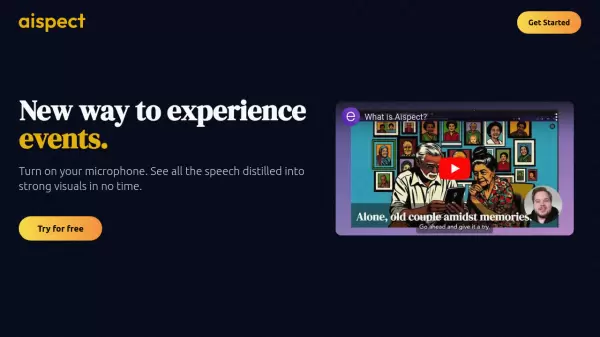
A new way to experience events through AI-generated visuals from speech

What is Aispect?

Aispect transforms live audio content into dynamic visual representations, offering a revolutionary way to experience events and presentations. The platform processes speech in real-time across more than 30 languages, creating meaningful visual interpretations of spoken content.

The service operates on a flexible credit-based system, ensuring users only pay for what they need while maintaining complete privacy by not storing original audio recordings. Whether it's for webinars, meetings, news feeds, or live events, Aispect creates engaging visual content that can be freely used across various platforms.

Features

  • Multilingual Support: Compatible with 30+ languages including Arabic, English, Japanese, and more
  • Real-time Processing: Instant conversion of speech to visuals
  • Privacy Protection: No audio storage, only generated images
  • Flexible Usage: Applicable for events, webinars, meetings, and news feeds
  • Credit-based System: Pay-per-use option with rollover credits

Use Cases

  • Live Event Visualization
  • Webinar Content Creation
  • Meeting Documentation
  • News Feed Visual Generation
  • Multilingual Event Coverage
  • Conference Documentation

FAQs

  • Where can Aispect be used?
    Aispect is best suited for events, but any live audio will work: webinars, meetings, news feeds and so on.
  • Will my credits expire?
    Credits will not expire, and credits from monthly subscriptions will roll over to the next month.
  • Will you keep my recorded audio?
    We do not store any audio, only the images generated from the audio.
  • Can I use the generated images outside Aispect?
    You can use images generated in Aispect anyway you want!
  • How do I cancel my subscription?
    You can cancel your subcription at anytime by signing in to the dashboard, clicking 'Upgrade' and then 'Upgrade / Cancel Subscription'.

Helpful for people in the following professions

Blogs:

  • Chat with PDF AI Tools

    Chat with PDF AI Tools

    Easily interact with your PDF documents using our advanced AI-powered tool. Whether you're reading lengthy reports, research papers, contracts, or eBooks, our platform lets you chat directly with your PDF files, ask questions, extract insights, and get summaries in real-time.

  • AI thumbnail maker tools

    AI thumbnail maker tools

    Automatically generate visually appealing and optimized thumbnails for various digital content, streamlining the design process and enhancing visual engagement

  • Top 6 AI note-taking tools for 2026: in-person, online, and hybrid use cases

    Top 6 AI note-taking tools for 2026: in-person, online, and hybrid use cases

    Most AI note-taking lists are really lists of meeting bots, which join your video call and transcribe it. That's useful, but it's half the picture. Decisions happen in hallway conversations, client dinners, on-site visits, and hybrid rooms where nobody is on a video link. This guide covers different parts of the note-taking workflow: hardware capture for in-person settings, platform-native tools for online calls, and AI layers for organizing and synthesizing what you've captured. It compares six tools by capture context, workflow fit, pricing, and limitations.

  • Best AI tools for Room Design

    Best AI tools for Room Design

    Discover cutting-edge AI tools that redefine the art of room design. From layout optimization to aesthetic finesse, these top-tier tools enhance your space to new heights.

Didn't find tool you were looking for?

Be as detailed as possible for better results