What is AirCode?
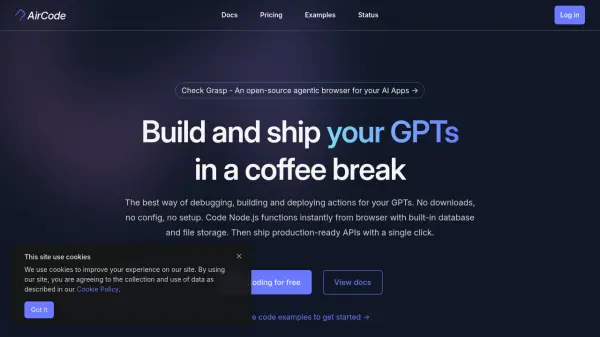
AirCode offers a browser-based environment designed for rapid development and deployment of serverless functions, particularly actions for GPTs. It eliminates the need for local setup, downloads, or configuration, providing immediate access to coding Node.js functions. The platform includes built-in database and file storage capabilities, streamlining the development workflow. Developers can write and test code directly online, leveraging features like cloud synchronization for access across multiple devices.
The platform emphasizes efficient debugging with consistent development and production environments, allowing developers to use actual online request data for troubleshooting. Deployment is simplified to a single click, enabling fast iteration and shipping of changes within seconds. Each function created within AirCode can be seamlessly transformed into a production-ready, serverless API. It supports TypeScript out-of-the-box and offers various examples for integrating with services like GPTs, Shopify, Discord, and Slack.
Features
- Browser-Based Development: Code Node.js functions directly in the browser with no setup required.
- Built-in Database & File Storage: Integrated database and file storage ready for immediate use.
- One-Click Deployment: Ship production-ready APIs and functions with a single click.
- Online Debugging: Debug using actual online request data and cloud-synchronized test data.
- Serverless API Generation: Automatically transforms functions into accessible serverless APIs.
- TypeScript Support: Out-of-the-box support for TypeScript development.
- Cloud Synchronization: Code and debug context saved and synced in the cloud.
- GPT Action Development: Specifically designed to build and deploy actions for GPTs.
Use Cases
- Developing custom actions for GPTs (e.g., mind maps, diagrams, SEO analysis).
- Building serverless APIs for web and mobile applications.
- Creating automation bots for platforms like Discord and Slack.
- Integrating third-party services (e.g., Shopify, NASA APOD) via APIs.
- Developing AI-powered features like streaming responses or AI chat dialogs.
- Setting up scheduled tasks (cron jobs) for data processing or notifications.
- Rapid prototyping and deployment of Node.js backend services.
- Building lightweight microservices and webhooks.
FAQs
-
Are there discounts for yearly subscriptions?
Yes, you can save 20% by choosing an annual payment frequency. -
What kind of support is available?
Community support is available for all users. Email support is included in the Professional plan, and priority support is provided with the Team plan. -
What are the main differences between the Free and Professional plans?
The Professional plan offers more projects, unlimited function requests/database operations/file operations/scheduled tasks, significantly higher usage limits (bandwidth, execution time), longer version history and log retention, more mock requests, and email support compared to the Free plan.