What is AI Picture Generator?
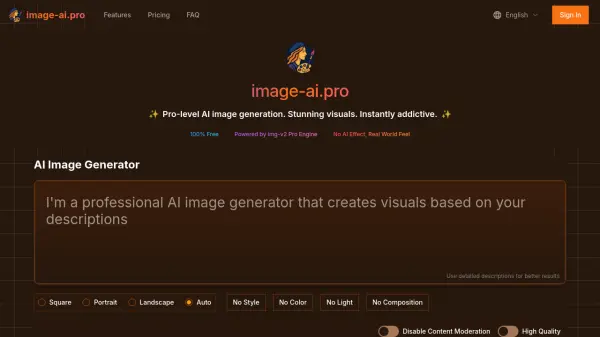
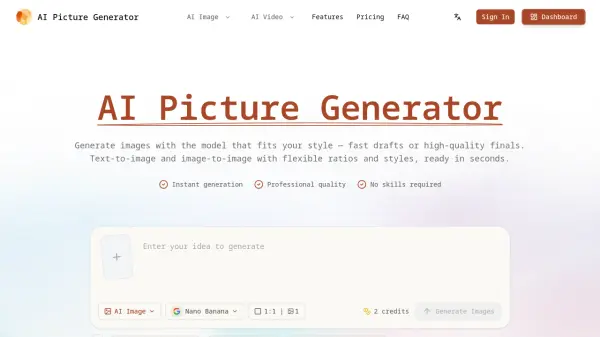
AI Picture Generator is a powerful AI image generation platform that enables users to create high-quality images from text prompts or existing photos. It offers a range of features including text-to-image, image-to-image, batch generation, and image-to-video, all accessible through an intuitive browser interface. Users can choose from multiple models optimized for speed, detail, or specific styles like photorealistic, anime, or illustration, making it suitable for various creative and professional workflows.
The platform provides flexible control over generation settings, allowing users to produce quick drafts or polished final renders. With features like commercial licensing, credit-based pricing, and support for multiple aspect ratios, it caters to individuals and businesses needing efficient and consistent visual content creation. AI Picture Generator also includes a gallery for inspiration and remixing, batch generation for A/B testing, and the ability to animate images into short videos in seconds.
Features
- Text to Image: Turn a simple idea into a high-quality image with flexible styles and aspect ratios.
- Image to Image: Upload a photo, describe the change, and generate variations while keeping structure and composition.
- Batch Generate: Generate multiple images in one run to test prompts, styles, and ratios faster.
- Image to Video: Animate any generated image or uploaded photo into a short video with smooth motion.
- Model Library: Choose from multiple models optimized for photoreal, anime, illustration, or fast iterations.
- Ad Creatives: Create scroll-stopping images for ads and marketing with consistent brand style.
- Commercial License: Use generated content for personal and commercial projects.
- Credit System: Credits are shown before generation; failed generations do not deduct credits.
- Gallery Remixing: Start from proven examples in the gallery to skip guesswork.
- Multiple Aspect Ratios: Generate images in common ratios like square, portrait, and landscape.
Use Cases
- Creating ad creatives and marketing visuals
- Designing product shots for e-commerce
- Generating social media content in various formats
- Developing concepts and storyboards
- Producing short video content from images
- Iterating on design variations for A/B testing
- Refining images with consistent style for branding
FAQs
-
How do I choose the best model for my task?
Different models are optimized for different goals: speed, detail/quality, and style (photoreal, anime, illustration, etc.). A simple workflow: start with a faster model for exploration, then switch to a higher-quality model for your final output — without changing your prompt structure. -
Do you support batch generation?
Yes. Batch generation lets you create multiple images in one run — ideal for variations, A/B testing, and building a consistent asset set for ads, stores, or social. Tip: batch to explore quickly, then finalize selected results with your preferred quality settings. -
What happens if a generation fails — do I lose credits?
No. Failed generations do not deduct credits. If something goes wrong, you can try again or contact support with a screenshot/time of the job for faster troubleshooting. -
Can I use the generated content commercially?
In most cases, yes — for personal and commercial projects. You’re responsible for how you use the output, especially when uploading copyrighted/trademarked material or attempting to replicate protected logos/brand assets. For high-stakes campaigns, use original references and avoid copying distinctive brand elements. -
Do you offer refunds?
You can cancel anytime to stop future renewals. Refund eligibility depends on your plan and usage. If you purchased by mistake or encountered a technical issue, contact support with your account email and we’ll review your request as quickly as possible.