What is Banana Editor?
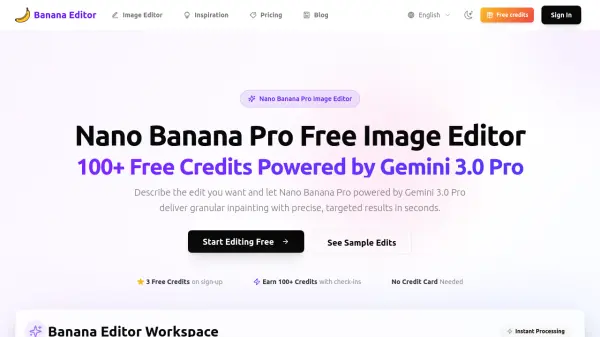
Banana Editor is a purpose-built workspace for the Gemini 3.0 Pro (Nano Banana Pro) image editor. It enables granular inpainting and photoreal edits with pixel-level control. Users can upload a portrait, product hero, or interior scene, describe the intended edit, and receive production-ready outputs quickly. The platform combines identity lock, prompt templates, and quality restore to keep subjects stable, edges clean, and materials believable, meeting the expectations of high-end retouching. Whether swapping backgrounds, iterating wardrobe, or extending sets for storyboard beats, Banana Editor transforms Gemini 3.0 Pro prompts into reliable, production-ready outputs.
Features
- Identity Lock: Protect faces, products, and logo details with every Gemini 3.0 Pro prompt.
- Scene Swap: Replace backgrounds and environments with lighting-aware renders and fast synthesis.
- Prop & Wardrobe Swap: Add or change garments, accessories, and props with fabric-aware, pixel-level detail.
- Lighting Direction: Dial time of day, rim lights, and color grade with generative lighting intelligence.
- Prompt Templates: Use curated Gemini 3.0 Pro recipes for portraits, ecommerce, interiors, and VFX.
- Quality Restore: Auto-fix artifacts after multi-turn edits with clarity, edge repair, and SynthID watermark auditing.
Use Cases
- Portrait retouching and identity-preserving edits
- Background replacement for ecommerce product photos
- Wardrobe and prop swaps for fashion lookbooks
- Interior redesign and staging visualization
- VFX previsualization and look development for film
- Social media content creation with consistent branding
- Batch scene swaps for catalog refreshes
- Colorway variations without physical samples
FAQs
-
How does Banana Editor keep identities consistent?
We combine Gemini 3.0 Pro granular inpainting with reference locking and automated similarity checks on every edit. -
Can I control what changes versus stays the same?
Yes. Prompt templates let you specify protected areas, and you can layer mask annotations for extra control over granular inpainting. -
Which edits does Banana Editor handle best?
Portrait retouching, wardrobe swaps, background replacement, product relighting, interior redesign, and VFX previz with pixel-level precision. -
Does quality degrade after multiple edits?
The quality restore pipeline repairs edges, boosts clarity, removes artifacts, and re-applies SynthID watermarking after each iteration. -
Is Banana Editor available for teams?
Absolutely. Invite collaborators, share prompt presets, and monitor credit usage from one workspace.