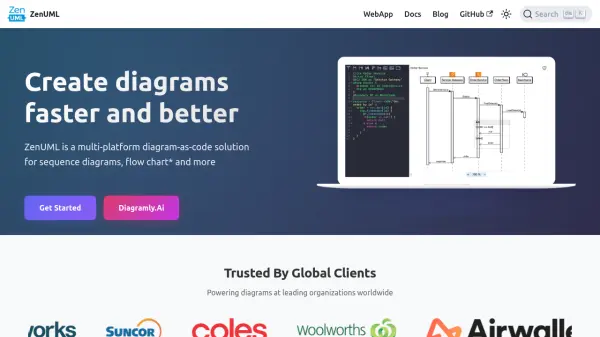

What is ZenUML?
ZenUML offers a modern, efficient approach to diagram creation through its concise diagram-as-code solution, enabling users to render sequence diagrams, flowcharts, and other UML diagrams directly in the browser. Uniquely, ZenUML provides an interactive editing experience with on-the-fly rendering, allowing users to visualize changes in near real time without the interruption of slow loading or cumbersome drag-and-drop interfaces.
Designed with privacy and industry standards in mind, ZenUML keeps all rendering client-side to maximize data security and compliance while ensuring diagrams are readable, maintainable, and standard-compliant. Its multi-platform support stretches across Confluence, web browsers, IDE plugins, and desktop applications, making it a versatile choice for businesses and technical teams requiring robust diagramming capabilities without compromising security or usability.
Features
- Interactive Diagram Rendering: Real-time, browser-based diagram updates with no server overhead
- Concise DSL: Less verbose diagram scripting language for efficient creation and maintenance
- Multi-Platform Support: Availability across Confluence, browser, JetBrains IDE, VS Code, Mac, and Windows
- Privacy-Focused: All diagram rendering occurs client-side without transmitting or storing user data
- OMG UML 2.5.1 Compliance: Automatically produces standard-compliant UML diagrams
- Rich Extensions: Enhanced readability with extensions like cloud icons
- Professional Support: Fast, responsive global support team
- Content Discoverability: Renders diagrams as HTML for better indexing and organizational use
Use Cases
- Creating interactive sequence diagrams for software design and architecture
- Drafting flowcharts and UML diagrams for technical documentation
- Integrating diagram visualization within Confluence pages or documentation portals
- Enhancing content discoverability and searchability of internal process diagrams
- Visualizing system processes during collaborative software development
FAQs
-
What platforms are supported by ZenUML?
ZenUML is available as a plugin for Confluence, as a web application, as browser and desktop extensions, and as IDE plugins for JetBrains and Visual Studio Code. -
How does ZenUML ensure data privacy?
All diagram rendering and image export processes occur client-side, ensuring no user data or personal information is sent to or stored on ZenUML’s servers. -
Is professional support available?
Yes, ZenUML offers professional support for installation, training, and technical issues, with most tickets resolved within 8 hours.