What is Workpath?
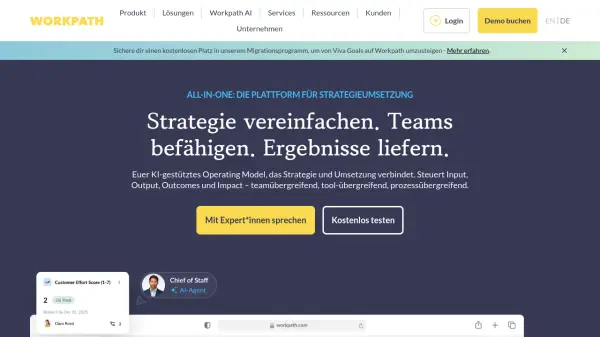
Workpath offers an AI-enhanced operating model designed to bridge the gap between strategic planning and execution. It provides a centralized platform for businesses to manage strategic inputs, outputs, outcomes, and overall impact effectively across various teams, tools, and processes. This system helps organizations move beyond disconnected efforts and unachieved goals by providing clarity and structure to their strategic initiatives.
The platform facilitates better alignment within the company by linking corporate strategy with team objectives, initiatives, and resource allocation, supporting frameworks such as OKRs and SAFe. With integrated AI capabilities, Workpath assists in formulating effective goals, automating tasks, and making informed decisions. Real-time analytics and reporting offer continuous insights into progress, performance, and potential roadblocks, while integrations with common workplace tools like Jira and Microsoft Teams ensure that strategy management is embedded within daily workflows.
Features
- AI-powered Operating Model: Connects strategy and execution across teams, tools, and processes.
- Goal Management (OKR Support): Create, align, manage, and track Objectives and Key Results with features like templates and quality scores.
- Workpath AI: Includes AI Agents, OKR Generator, OKR Quality Checker, and OKR Coach for automation and decision support.
- Analytics Suite: Delivers real-time insights, dashboards, and reporting on progress, performance, and strategic impact.
- Integrations: Seamlessly connects with tools such as Jira, Azure DevOps, MS Planner, and Microsoft Teams.
- Business Reviews Module: Enables dynamic, data-driven steering and standardized reporting.
- Initiative Management: Tracks work activities contributing to goal progress.
- Capacity Planning & Reporting: Allocates and analyzes resource distribution against strategic and operational work.
Use Cases
- Implementing holistic strategy execution models.
- Introducing and scaling Objectives and Key Results (OKRs).
- Revitalizing unsuccessful OKR programs.
- Conducting structured and data-driven Business Reviews.
- Improving the effectiveness of Performance Dialogues.
- Managing and tracking Cloud Transformation initiatives.
- Facilitating Product Organization Transformations.
- Aligning functional teams with overall company strategy.
- Enhancing cross-functional collaboration and breaking down silos.
- Leveraging AI for smarter strategy work and decision-making.
- Streamlining SAFe / PI Plannings.
- Applying Lean Portfolio Management principles.
- Steering and aligning Hybrid Organizations.
FAQs
-
Which Workpath plan is right for my organization?
Workpath offers different plans (CORE and ADVANCE) tailored to varying organizational needs for outcome management and strategy execution. CORE is for managing outcomes efficiently with essential features, while ADVANCE provides the full suite of functionalities for comprehensive outcome management. The best choice depends on your specific goals and desired feature set. -
How long does the free trial period last?
You can test Workpath and all its features free of charge for 14 days. No charges are incurred after the trial, and you are not automatically enrolled in a paid plan. -
What is the typical timeframe for rolling out Workpath?
On average, setting up Workpath, training stakeholders, conducting initial drafting and alignment rounds, and officially launching the first cycle takes about 10 weeks, depending on the organization's size and complexity. -
How does Workpath ensure data security?
Workpath prioritizes state-of-the-art legal, data protection, and security measures. Detailed information on how data is handled and secured is available through their trust center or security documentation.