What is WiseTime?
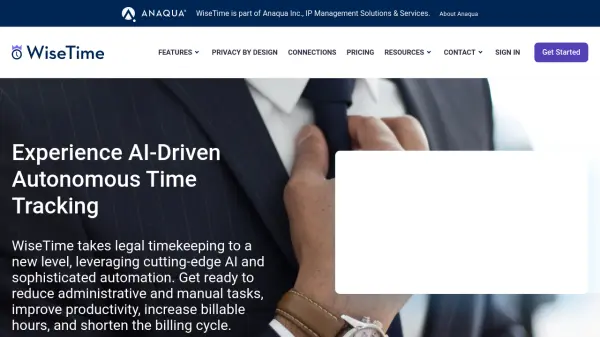
WiseTime is an AI-driven time tracking solution tailored for legal professionals and law firms. It enables users to work without the disruption of manual timesheets, accurately capturing desktop activity and automatically tagging each entry to the correct case or matter through seamless integration with practice management systems.
The platform uses artificial intelligence to generate detailed narratives for invoicing, streamline case referencing, and improve billing accuracy. With privacy by design, customizable reporting, and advanced team management features, WiseTime helps legal teams optimize productivity, reduce revenue leakage, and enhance client satisfaction, all while maintaining strict data privacy controls.
Features
- AI-Enabled Narrative Generation: Creates client-specific summaries of recorded activities for invoices.
- Seamless Time Capture: Automatically records all work activity without manual entry.
- Automatic Case Detection: Detects and tags Matter IDs in time logs for accurate billing.
- Practice Management Integration: Syncs with billing and practice systems in real time.
- Privacy Controls: Offers robust user privacy features and separation of work/personal activity.
- Team Management: Connects remote teams and supports flexible working arrangements.
- Customizable Reporting & Dashboards: Provides detailed activity and time reports.
- Dynamic Trend Analysis: Visualizes business trends and team productivity.
- Cloud and On-Prem Connections: Integrates with various cloud and on-premise systems.
- Outlook Add-In: Allows mobile time entries directly via Microsoft Outlook.
Use Cases
- Automating legal timekeeping for law firms to improve billing accuracy.
- Reducing manual timesheet entry for legal professionals and consultants.
- Generating invoice narratives automatically from work activity data.
- Keeping track of billable hours for remote legal teams.
- Integrating time tracking with existing legal practice management software.
- Enhancing team productivity reporting for firm management.
- Facilitating time tracking in flexible and hybrid work environments.
FAQs
-
How does WiseTime ensure the privacy of user activity?
WiseTime employs privacy by design, providing robust privacy controls that allow users to separate work and personal activity and review, add, delete, or narrate time entries before sharing. -
Can WiseTime integrate with my existing practice management software?
Yes, WiseTime integrates with popular practice management and billing systems through real-time synchronization and automatic tagging of activities. -
What platforms does WiseTime support?
WiseTime supports Windows, Mac, and Linux operating systems for autonomous timekeeping. -
Does WiseTime offer detailed reporting features?
Yes, detailed activity and time reports can be generated, including dynamic business trend analysis and exportable dashboards. -
Is there a free trial available for WiseTime?
Yes, WiseTime offers a 30-day free trial to new users.