What is VideoHelp?
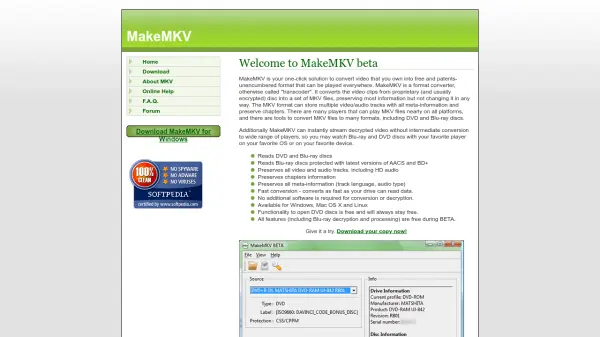
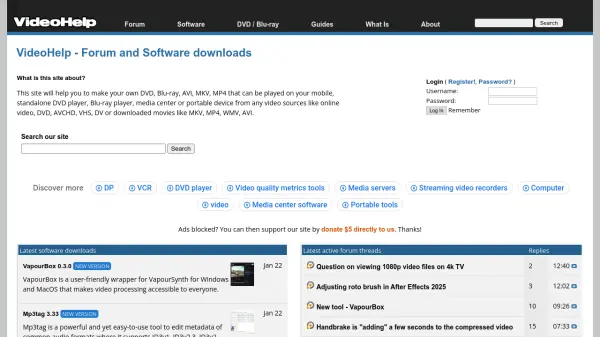
VideoHelp serves as a comprehensive resource hub for video enthusiasts and professionals, providing access to a wide range of software tools for video editing, conversion, and playback. The platform features detailed guides covering various aspects of video processing, including authoring, capture, converting, editing, and DVD/Blu-ray ripping. With an active forum community, users can engage in discussions, seek assistance, and share knowledge about video-related topics.
The website offers software downloads for popular tools like foobar2000, VideoPad Video Editor, Adobe Premiere Pro, and various codec packs, along with portable tool options. It also provides region code hacks for DVD and Blu-ray players, making it a valuable resource for overcoming playback restrictions and enhancing media compatibility across different devices.
Features
- Software Downloads: Access to a wide range of video editing, conversion, and playback tools
- Detailed Guides: Comprehensive tutorials on video authoring, capture, converting, editing, and ripping
- Active Forum Community: Platform for discussions, troubleshooting, and knowledge sharing
- DVD/Blu-ray Region Hacks: Solutions for overcoming playback restrictions on media players
- Portable Tools: Software options that don't require installation
Use Cases
- Converting video formats for different devices
- Editing home videos or professional content
- Ripping DVDs and Blu-rays for personal use
- Troubleshooting video playback issues
- Learning video processing techniques through guides
- Finding software solutions for specific video tasks
- Participating in video-related community discussions
- Overcoming region restrictions on media players
FAQs
-
What types of video formats can I work with using resources from VideoHelp?
VideoHelp provides resources for working with various video formats including DVD, Blu-ray, AVI, MKV, MP4, WMV, and formats from sources like online video, AVCHD, VHS, and DV. -
Does VideoHelp offer software for audio processing as well?
Yes, VideoHelp includes audio software such as foobar2000 for audio playback and Adobe Audition for professional audio editing, alongside video-focused tools. -
Can I find solutions for playing region-restricted DVDs and Blu-rays?
Yes, VideoHelp provides region code hacks for various DVD and Blu-ray players to help overcome playback restrictions.