
What is Vidatia?
Vidatia is a comprehensive AI video creation tool designed to democratize professional video production. It enables users to generate high-quality videos for various formats, including YouTube content, social media shorts, advertisements, and educational materials, without requiring technical skills or large budgets. The platform integrates multiple advanced AI models, such as GPT, Claude, and Gemini, to handle all aspects of video creation—from scriptwriting and visual generation to animation and audio production.
Users can create videos in any language, choose from numerous visual styles (e.g., 3D animation, live-action, illustrations), and customize elements like voiceovers, captions, and background music. Vidatia operates as a desktop application compatible with both Windows and Mac, offering fast rendering without queues. It supports multiple video orientations (landscape, portrait, square) for different platforms and includes features like AI-powered image modification and voice cloning through integrations with services like ElevenLabs.
Features
- One-click Video Creation: Generate complete videos from a simple idea with automated scripting, visuals, and audio
- Multi-AI Integration: Access leading AI models like GPT, Claude, and Gemini for diverse creative outputs and styles
- Any Visual Style Support: Create videos in styles including 3D animation, live-action, illustrations, cartoon, and hyper-realistic
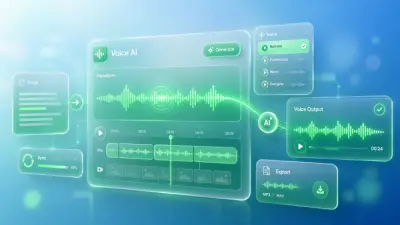
- Human-like AI Voices: Produce expressive voiceovers with control over accent, emotion, and style, plus voice cloning capability
- Platform Optimization: Generate videos in all popular orientations (landscape, portrait, square) for different social media platforms
- AI-Powered Image Modification: Modify images by changing elements like clothes, background, or expressions using AI instructions
- Automatic Captions: Burn customizable captions onto videos with control over font, size, color, and placement
- Background Music Library: Access a vast library of copyright-free music tracks and integrate with external sources like Pixabay
Use Cases
- Creating narration videos for stories, history, facts, training, or motivation content
- Producing short-form videos like YouTube Shorts, Instagram Reels, and TikTok content
- Developing long-form YouTube videos for education, entertainment, or niche topics
- Making video advertisements for social media platforms such as Facebook and YouTube
- Generating educational videos including tutorials, lessons, and training materials
- Creating children's stories with animated visuals and engaging narratives
- Producing faceless videos for YouTube and other platforms without appearing on camera
- Offering video production services for clients on freelancing platforms like Fiverr
FAQs
-
What types of videos can Vidatia produce?
Vidatia can produce faceless videos, narration videos, live-action videos, shorts, reels, long-form YouTube content, ads, children's stories, and educational videos across any niche or topic, using AI-generated visuals and animations. -
Does Vidatia include voiceover and music capabilities?
Yes, Vidatia provides human-like AI voiceovers with emotional control and access to a library of background music tracks, with options for voice cloning and external music integration. -
Can Vidatia be used for commercial video production?
Yes, with the appropriate license (e.g., Elite version for self-business use or Pro/All-Inclusive for client services), Vidatia can be used to produce videos commercially without needing a team or large budget. -
Is Vidatia compatible with Mac operating systems?
Yes, Vidatia is a desktop application that works on both Windows and Mac machines, offering fast rendering without queues. -
How does the refund policy work for Vidatia?
Vidatia offers a 30-day money-back guarantee. Users can request a full refund within 30 days of purchase by contacting support via email, live chat, or a support ticket if unsatisfied.