What is Vena Solutions?
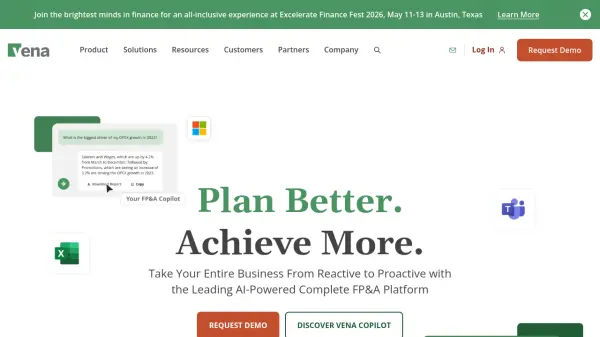
Vena Solutions provides an AI-powered Financial Planning & Analysis (FP&A) platform specifically designed to integrate seamlessly with Microsoft Excel and the broader Microsoft 365 suite. It aims to enhance finance and operations processes by centralizing data, improving collaboration, and automating tasks. The platform enables users to perform flexible modeling, including driver-based planning and unlimited "what-if" scenarios, directly within the familiar Excel interface.
The system facilitates accelerated analysis through interactive dashboards and ad-hoc reporting capabilities, allowing teams to track key performance indicators (KPIs) and quickly respond to business inquiries. Vena Solutions emphasizes collaboration by offering features like centralized templates, version control elimination, co-authoring, and live chat. It also includes workflow management tools with reminders and real-time task tracking to maintain accountability and ensure processes run smoothly. The platform supports integrations with various data sources like ERP, CRM, and HRIS systems, consolidating information into its OLAP database, Vena CubeFLEX, for a unified view.
Features
- AI-Powered FP&A: Leverages AI for enhanced financial planning and analysis.
- Excel Integration: Built specifically to work natively within the Microsoft Excel environment.
- Flexible Modeling: Supports driver-based planning, unlimited 'what-if' scenarios, and bottom-up/top-down adjustments.
- Interactive Dashboards & Reporting: Provides tools for tracking KPIs and creating ad-hoc reports directly in Excel.
- Collaboration Tools: Includes centralized templates, version control elimination, co-authoring, and live chat.
- Workflow Automation: Manages processes with workflows, reminders, and real-time task/approval tracking.
- Vena Copilot: An AI assistant designed to automate routine and complex FP&A tasks.
- Vena Insights: Offers self-serve advanced analytics and pre-built Power BI dashboards.
- Vena for PowerPoint: Enables creation and collaboration on data-driven presentations with real-time insights.
- Data Integration: Connects with ERP, CRM, HRIS, and other systems via Vena CubeFLEX OLAP database.
- Financial Close Management: Streamlines consolidation, account reconciliation, and tax provisioning.
Use Cases
- Streamlining Budgeting and Forecasting Processes
- Conducting Complex Financial Modeling and Scenario Planning
- Accelerating Financial Close and Consolidation Cycles
- Improving Financial and Management Reporting Accuracy and Speed
- Enhancing Collaboration Among Finance Teams and Stakeholders
- Managing Sales Performance and Incentive Compensation
- Planning and Reporting for Marketing Activities
- Automating Routine FP&A Tasks with AI
- Performing Workforce Planning and CapEx Planning
- Gaining Deeper Financial Insights through Advanced Analytics