What is VAddy?
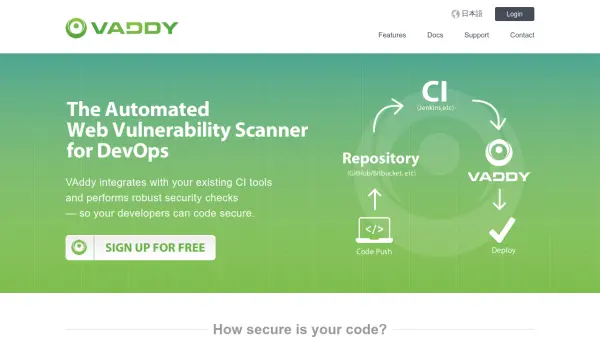
VAddy performs robust security checks by integrating with existing CI tools, providing insight into web application security and hooking into standard deployment processes. It helps developers code securely without needing to be security experts, allowing teams to easily discover vulnerabilities before they become entrenched in code.
The tool automatically runs as part of existing CI processes after every code change, alerting users when commits contain vulnerabilities. It helps reduce last-minute vulnerability scans by continually performing high-quality security analysis throughout development, preventing surprises before release. VAddy visualizes security vulnerability frequency by team member or code module to quickly identify problem areas and improve security knowledge.
Features
- CI Integration: Seamlessly integrates with CI tools like Jenkins and TravisCI for automated security checks
- Automatic Vulnerability Detection: Runs security analysis automatically after every code change and alerts on vulnerabilities
- Security Visualization: Visualizes frequency of security vulnerabilities by team member or code module for trend analysis
- No Security Knowledge Required: Diagnostic engine tuned by security experts allows secure development without domain knowledge
- Multi-language Support: Compatible with wide range of programming languages and frameworks through extensive security library
Use Cases
- Automated security testing in continuous integration pipelines
- Vulnerability detection during web application development
- Security education and improvement for development teams
- Pre-release security scanning to prevent last-minute issues
- Monitoring security trends across code modules and team members
FAQs
-
What CI tools does VAddy integrate with?
VAddy integrates with CI tools such as Jenkins and TravisCI, performing security checks automatically on every build. -
Does VAddy require security expertise to use?
No, VAddy's diagnostic engine is tuned by security experts, allowing teams to develop secure applications without special domain knowledge. -
How does VAddy handle different programming languages?
VAddy is compatible with all languages through a large library of security issues and technical experts covering various languages and frameworks. -
When does VAddy perform security checks?
VAddy runs automatically after every code change as part of your CI process and alerts when commits contain vulnerabilities. -
How does VAddy help identify security problems in development teams?
VAddy visualizes the frequency of security vulnerabilities caused by each team member or code module, helping identify problem areas for education and improvement.