What is v-Lawyer?
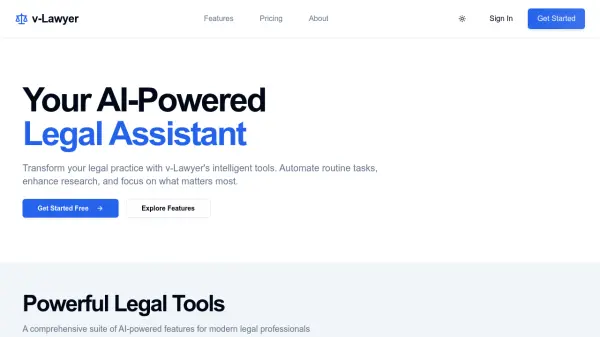
v-Lawyer positions itself as an intelligent legal assistant developed to enhance the efficiency of legal practices. It leverages Artificial Intelligence to provide tools aimed at modern legal professionals, focusing on automating routine tasks and improving research capabilities, thereby allowing practitioners to focus on core legal work.
Currently, the primary available feature is a Citation Extractor, which automatically identifies and validates legal citations within documents. The platform roadmap includes several upcoming AI-powered tools, such as case law analysis, an AI research and drafting assistant, and intelligent document processing, indicating a plan to expand its capabilities into a more comprehensive legal support suite.
Features
- Citation Extractor: Extract and validate legal citations automatically.
- Upcoming Case Analysis: AI-powered case law analysis and insights.
- Upcoming Legal Assistant: AI research and drafting companion.
- Upcoming Document Magic: Intelligent document analysis and processing.
Use Cases
- Automating the extraction and validation of legal citations from documents.
- Assisting with legal research (upcoming feature).
- Supporting the drafting of legal documents (upcoming feature).
- Analyzing case law to derive insights (upcoming feature).