What is TweetEmote?
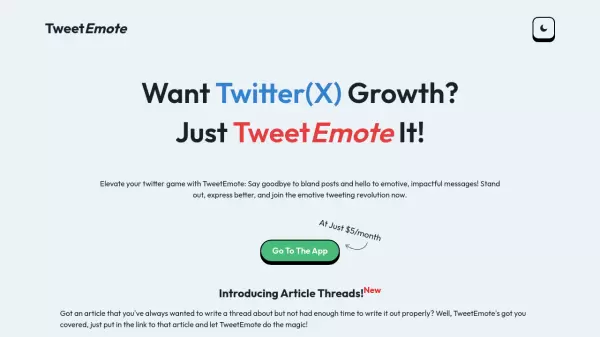
TweetEmote is a sophisticated AI writing assistant designed specifically for Twitter (X) users who want to enhance their social media presence. The platform enables users to transform ordinary tweets into engaging content by incorporating various emotional tones and writing styles.
The tool offers comprehensive features including tweet generation, reply crafting, and article-to-thread conversion capabilities. With its emotion spectrum ranging from sad to funny and angry to excited, TweetEmote ensures messages resonate with the intended audience while maintaining authenticity.
Features
- AI-Powered Content Generation: Creates engaging tweets and replies using artificial intelligence
- Article Thread Conversion: Transforms articles into well-structured Twitter threads
- Emotional Tone Selection: Offers various emotional tones from sad to funny
- Style Variety: Provides multiple writing styles including entrepreneurial and educational
- Unlimited Generation: Allows unlimited creation of tweets, replies, and threads
Use Cases
- Creating engaging Twitter posts
- Crafting emotional responses to other tweets
- Converting blog articles into thread format
- Writing catchphrases for marketing
- Generating personalized messages for friends
- Developing social media content strategies
FAQs
-
How long is the free trial period?
TweetEmote offers a 7-day free trial period, which can be canceled anytime with no questions asked. -
What types of content can I generate with TweetEmote?
You can generate tweets, replies, article threads, and various styles of social media content with different emotional tones.