Tupple favicon

Tupple
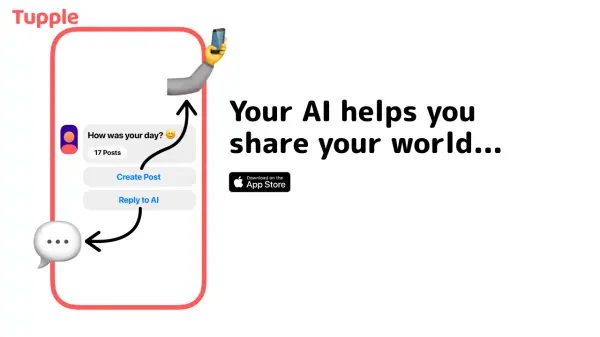
Your AI helps you share your world on the first vertical + horizontal social feed.

What is Tupple?

Tupple utilizes artificial intelligence to enhance content sharing on its social media platform. It introduces a distinctive dual-feed system, combining both vertical and horizontal scrolling for content discovery.

The platform's core goal is to foster connections, facilitate discovery, and inspire users by leveraging AI within its unique feed structure, enabling new ways to share experiences and interact with content.

Features

  • AI-Powered Sharing: Employs AI to assist users in sharing their world.
  • Dual Feed System: Features a novel social feed combining vertical and horizontal scrolling.
  • Community Focus: Aims to connect users, enable discovery, and foster inspiration.

Use Cases

  • Sharing personal content and experiences.
  • Discovering content and creators through a unique feed.
  • Connecting with others on a new social platform.
  • Exploring innovative social media interfaces.

Helpful for people in the following professions

Related Tools:

Blogs:

  • AI Testimonial Videos: How to Build Social Proof That Actually Converts

    AI Testimonial Videos: How to Build Social Proof That Actually Converts

    AI testimonial videos are transforming marketing in 2026 by helping businesses create professional customer-style videos quickly and affordably. Using real customer reviews, short scripts, and AI tools like Pollo AI, brands can produce engaging testimonials for social media, landing pages, and ads while saving time and improving conversions.

  • Top AI tools for Students

    Top AI tools for Students

    These AI tools are designed to enhance the learning experience for students. From personalized study plans to intelligent tutoring systems.

  • Top 6 AI note-taking tools for 2026: in-person, online, and hybrid use cases

    Top 6 AI note-taking tools for 2026: in-person, online, and hybrid use cases

    Most AI note-taking lists are really lists of meeting bots, which join your video call and transcribe it. That's useful, but it's half the picture. Decisions happen in hallway conversations, client dinners, on-site visits, and hybrid rooms where nobody is on a video link. This guide covers different parts of the note-taking workflow: hardware capture for in-person settings, platform-native tools for online calls, and AI layers for organizing and synthesizing what you've captured. It compares six tools by capture context, workflow fit, pricing, and limitations.

Didn't find tool you were looking for?

Be as detailed as possible for better results