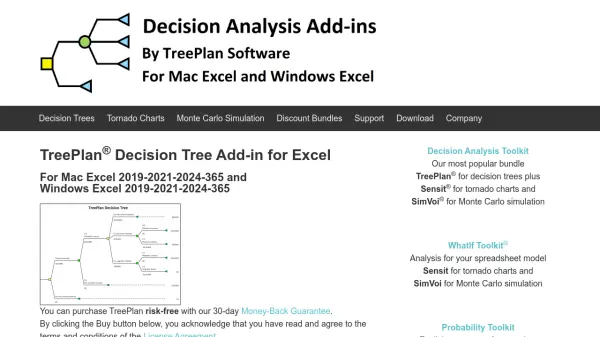
What is TreePlan?
TreePlan is a specialized Excel add-in designed to facilitate the creation and analysis of decision tree diagrams directly within Excel worksheets. It enables users to model sequential decision problems under uncertainty by providing dialog boxes to construct trees, enter branch names, cash flows, and probabilities. The tool automates the calculation of outcome values through cash flow summation and determines optimal strategies using rollback values, enhancing decision-making processes in business and academic settings.
Users can format decision trees to their preferences, integrate them with other Excel models, and perform sensitivity analysis using Excel's Data Table command. TreePlan offers both quick launch for temporary use and permanent installation options, making it versatile for various applications. It is compatible with Mac Excel 2019-2021-2024-365 and Windows Excel 2019-2021-365, supporting a wide range of users from students to professionals.
Features
- Decision Tree Creation: Build diagrams in Excel using dialog boxes for sequential decision analysis
- Cash Flow Summation: Automatically sums cash flows to calculate outcome values
- Rollback Calculation: Determines optimal strategies by calculating rollback values
- Formatting Flexibility: Allows customization of tree diagrams using Excel's formatting commands
- Sensitivity Analysis: Integrates with Excel Data Table for what-if analysis
- Integration Capability: Combines decision tree models with other Excel models
- Installation Options: Offers quick launch for temporary use or permanent installation
- Compatibility: Works with Mac Excel 2019-2021-2024-365 and Windows Excel 2019-2021-2024-365
Use Cases
- Analyzing business investment decisions under uncertainty
- Evaluating risk management strategies in finance
- Teaching decision analysis concepts in academic courses
- Conducting sensitivity analysis for project planning
- Modeling sequential decision problems in operations research
- Supporting strategic planning with visual decision trees
FAQs
-
What is the refund policy for TreePlan?
TreePlan offers a 30-day Money-Back Guarantee for purchases. -
Can TreePlan be used for commercial purposes with a Student license?
No, the Student license is only for instructional use by students and instructors and may not be used for commercial purposes. -
How do I install TreePlan in Excel?
TreePlan can be installed via quick launch for temporary use or as a permanent add-in through the TreePlan ribbon in Excel. -
What versions of Excel are compatible with TreePlan?
TreePlan is compatible with Mac Excel 2019-2021-2024-365 and Windows Excel 2019-2021-2024-365. -
Does TreePlan support sensitivity analysis?
Yes, TreePlan integrates with Excel's Data Table command to perform sensitivity analysis on decision tree models.