What is Travel Translator?
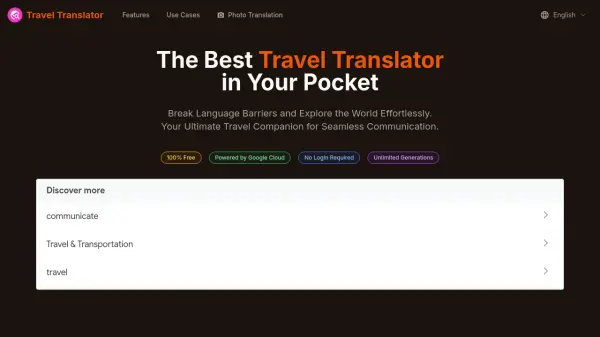
Travel Translator is a comprehensive translation solution designed specifically for travelers, leveraging Google Cloud's advanced AI technology to overcome language barriers. The tool provides instant and accurate translations for speech, text, and images, enabling users to communicate confidently in various real-world scenarios such as ordering food, navigating cities, and engaging with locals. With a user-friendly interface and continuous improvements to language models, it ensures reliable performance across dozens of languages.
Powered by Google Cloud services including Speech-to-Text, Translation, Vision API, and Text-to-Speech, Travel Translator offers features like voice translation, photo translation of menus and signs, and text input translation. It focuses on travel-specific needs, helping users explore new destinations without linguistic limitations. The platform is accessible without login requirements and supports unlimited generations, making it a practical companion for global adventures.
Features
- Accurate Speech Translation: Uses Google Cloud speech recognition for real-time voice translation with high accuracy in natural conversations.
- Instant Photo Translation: Translates text from images instantly using Google Cloud Vision API for menus, signs, and documents.
- Multi-Language Support: Translates between dozens of languages with comprehensive coverage for global travel.
- Text-to-Speech Function: Speaks translations aloud using Google Cloud Text-to-Speech for natural pronunciation and learning.
- User-Friendly Interface: Designed for simplicity with responsive controls and clear visual feedback for all users.
- Cloud-Based Accuracy: Leverages Google Cloud translation services for consistent, up-to-date translations with continuous improvements.
Use Cases
- Ordering food at restaurants by translating menus with photo translation
- Navigating foreign cities by understanding street signs and public transportation schedules
- Engaging in conversations with locals using speech translation for recommendations and stories
- Shopping abroad by translating product descriptions and negotiating prices
- Exploring cultural sites by translating historical information and museum exhibits
- Accessing emergency assistance by translating medical terms and safety information
FAQs
-
How does the speech-to-text translation work?
The speech-to-text translation uses Google Cloud Speech-to-Text API to convert spoken words into text, then translates that text using Google Cloud Translation API in real-time, optimized for accents and travel vocabulary. -
Can I save translations for later use?
Yes, Travel Translator allows users to save translations for offline access, with Premium users able to create custom phrasebooks and organize saved translations by category or location. -
Is Travel Translator suitable for business travel?
Absolutely, it supports formal language styles and business terminology, making it ideal for meetings, presentations, and professional interactions abroad.