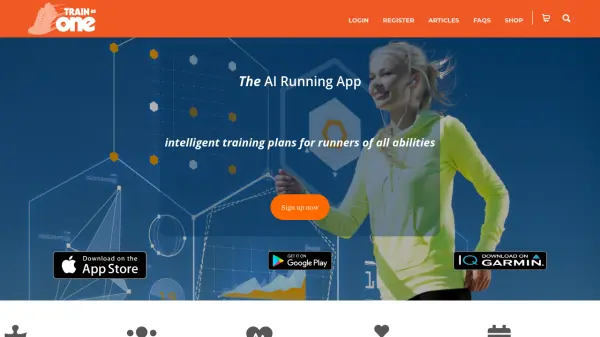


What is TrainAsONE?
Leveraging advanced Artificial Intelligence and Machine Learning, TrainAsONE delivers highly personalized running plans tailored to individual abilities, data, and specific goals. It constantly analyzes running data imported from popular apps and watches, adapting the training schedule dynamically. This ensures that each workout is optimized for the most efficient performance improvement, whether the user is a beginner aiming for a 5k or an experienced athlete tackling multiple ultra-marathons within a year.
The system focuses significantly on reducing the risk of running-related injuries, a common issue affecting a majority of runners. By carefully managing training load and progression, it helps athletes arrive at their start lines in peak condition, safely. Furthermore, TrainAsONE offers flexibility by allowing users to define their available training times and automatically adjusting for missed workouts or unexpected life events, ensuring the plan always aligns with the user's current circumstances and fitness level. Paid features include adjustments for weather and elevation, enhancing the precision of the training guidance.
Features
- AI-Powered Personalization: Creates custom running plans based on individual ability, data, and goals.
- Adaptive Training: Constantly adjusts plans based on performance, missed workouts, and user schedule changes.
- Multiple Goal Management: Supports training for several races or objectives concurrently (Paid Plan).
- Injury Risk Minimization: Designs plans focused on safe progression to reduce the likelihood of injuries.
- Performance Maximization: Aims to ensure every workout contributes efficiently to performance improvement.
- Flexible Scheduling: Allows users to specify training availability and automatically adjusts the plan.
- Data Integration: Imports activity data from Garmin, Strava, Runkeeper, Fitbit, and others.
- Weather & Elevation Adjustments: Modifies workouts based on weather conditions and terrain elevation (Paid Plan).
- Pace & Heart Rate Workouts: Offers both pace-based (Free/Paid) and heart-rate based workouts (Paid Plan).
- Garmin Integration: Uploads workouts directly to compatible Garmin devices (USB for Free, CIQ App for Paid).
Use Cases
- Preparing for running races (5k, 10k, half-marathon, marathon, ultra-marathon).
- Beginner runners starting with 'couch to 5k' programs.
- Improving running performance and setting personal bests.
- Reducing the risk of running-related injuries.
- Managing training schedules around busy life events.
- Training for multiple running events simultaneously.
- Returning to running after a break or illness.
FAQs
-
What levels of runners is TrainAsONE suitable for?
TrainAsONE is designed for runners of all abilities, from beginners tackling 'couch to 5k' to experienced athletes training for extreme ultra-marathons. -
How does TrainAsONE handle missed workouts?
The AI automatically adjusts your training plan to account for any missed or off-plan workouts, ensuring your training remains optimal. -
Can I train for more than one race at a time?
Yes, the Paid Plan allows you to train for multiple concurrent goals (races). The Free Plan supports one goal at a time. -
How does TrainAsONE help prevent injuries?
The plans are specifically designed to minimize injury risk by promoting safe progression alongside performance gains. -
What devices and apps does TrainAsONE connect with?
It integrates with popular running apps and watches like Garmin, Strava, Runkeeper, and Fitbit to import activity data.