

What is The Honcho?
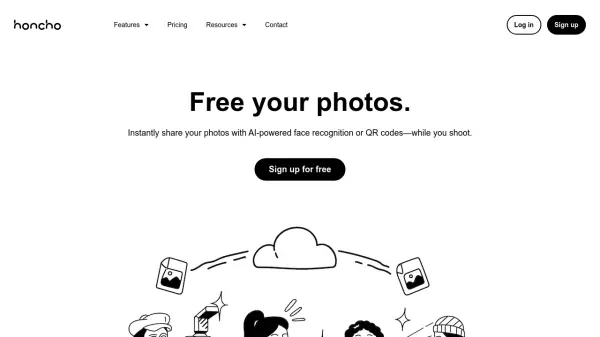
The Honcho is a platform designed to enhance the workflow and business growth of photographers. It enables the instant sharing of photographs directly from the camera using AI-powered face recognition technology or QR codes, allowing event attendees or clients to access their pictures swiftly. The system features a robust camera-to-cloud transfer capability, ensuring photos are uploaded rapidly and securely, even resuming transfers after interruptions.
Beyond immediate sharing, The Honcho facilitates the creation of dynamic live slideshows for showcasing photos on any screen in real-time, with controls for approving images. It also integrates wireless printing functionality, enabling printing from any device connected to the cloud. Additionally, the platform offers tools for business growth, such as customizable profiles within galleries for lead generation, drag-and-drop form builders for collecting client information, and detailed analytics reports to track engagement and demonstrate value.
Beyond immediate sharing, The Honcho facilitates the creation of dynamic live slideshows for showcasing photos on any screen in real-time, with controls for approving images. It also integrates wireless printing functionality, enabling printing from any device connected to the cloud. Additionally, the platform offers tools for business growth, such as customizable profiles within galleries for lead generation, drag-and-drop form builders for collecting client information, and detailed analytics reports to track engagement and demonstrate value.
Features
- AI-Powered Face Recognition: Allows users and guests to find photos by uploading a selfie.
- Camera to Cloud Upload: Tether camera via mobile app for high-speed photo uploads directly to the cloud, with interruption resume.
- Live Slideshows: Showcase approved photos in real-time on any screen via shareable links.
- Wireless Printing: Connect printers to the cloud for printing from anywhere, on any device.
- QR Code Sharing: Share photos instantly using generated QR codes.
- Business Profile Integration: Display photographer's bio and contact info within photo galleries.
- Form Builder: Create drag-and-drop forms to collect leads or survey responses.
- Analytics Reporting: Track engagement metrics like visits, downloads, and face searches.
- Team Collaboration: Work with multiple team members on shared photo sessions with synced changes.
Use Cases
- Instantly sharing event photos with attendees.
- Creating live photo displays during events or photoshoots.
- Offering on-site or remote wireless printing services.
- Streamlining photo transfer and backup during shoots.
- Generating leads and collecting client information through photo galleries.
- Collaborating with team members on photo editing and review.
- Analyzing photo engagement and demonstrating event impact to clients.