What is Taste?
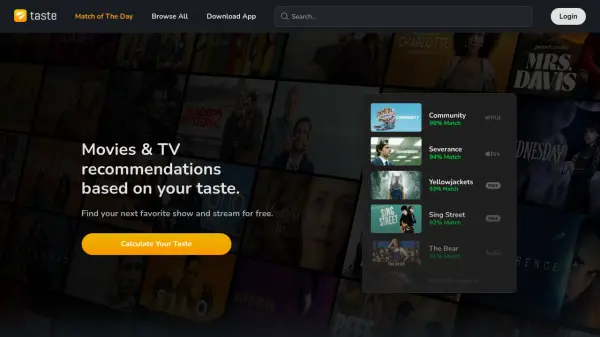
Taste is a platform that offers personalized movie and TV show recommendations. It connects users with others who share their unique viewing tastes. By analyzing these shared preferences, Taste suggests movies and shows that users are likely to enjoy.
The service helps users find their next favorite show and provides options for free streaming. Taste aims to enhance the viewing experience by providing a curated selection of content tailored to individual preferences.
Features
- Personalized Recommendations: Receive movie and TV show suggestions tailored to your unique taste.
- Taste Matching: Connect with users who have similar viewing preferences.
- Free Streaming Guidance: Find out where to stream recommended content for free.
- Diverse Content Library: Access recommendations across various genres, including True Crime, Dark Comedies, Engaging Period Pieces, Award-Winning Movies, Mind-Bending Sci-Fi, Horror Movies, and Superhero content.
Use Cases
- Finding new movies and TV shows to watch.
- Discovering hidden gem movies and shows.
- Connecting with people who have similar movie and TV show tastes.
- Finding free streaming options for movies and TV shows.
FAQs
-
How does Taste calculate my taste?
Taste calculates your taste by finding users with strikingly similar viewing preferences and recommends their favorite movies and TV shows. -
Is Taste free to use?
Yes, Taste guides you to stream shows for free.