What is TagCrowd?
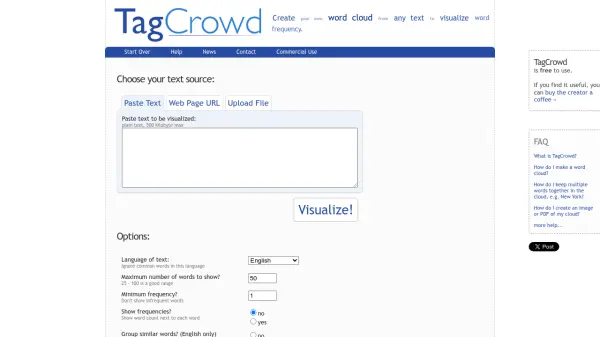
TagCrowd allows users to create visually appealing word clouds from any text source, helping to visualize word frequency and identify key themes. Simply paste text, provide a web page URL, or upload a file to generate a cloud that highlights the most prominent words. Customizable options include language selection, maximum word count, minimum frequency, and the ability to group similar words. The tool is free to use and produces results that can be exported as images or PDFs.
Features
- Multiple text sources: Paste text, enter a web page URL, or upload a plain text file.
- Customizable word cloud: Set maximum number of words, minimum frequency, and language.
- Similar word grouping: Combine words with the same root (e.g., learn, learned, learning) in English.
- Frequency display: Option to show word counts next to each word.
- Export options: Create images or PDFs of the word cloud.
Use Cases
- Visualizing key terms in a document
- Analyzing customer feedback themes
- Creating engaging visual content for presentations
- Exploring word frequency in a web page
- Teaching or demonstrating text analysis concepts
FAQs
-
What is TagCrowd?
TagCrowd is a web-based tool that creates word clouds from any text to visualize word frequency. -
How do I make a word cloud?
Choose your text source (paste text, enter a URL, or upload a file), adjust options like language and word count, then generate the cloud. -
How do I keep multiple words together in the cloud, e.g., New York?
You can use the advanced options or pre-process your text to combine them, but the tool does not natively support multi-word grouping. -
How do I create an image or PDF of my cloud?
After generating the cloud, use your browser's print or screenshot features, or look for export options on the page.