What is Sportzfy TV?
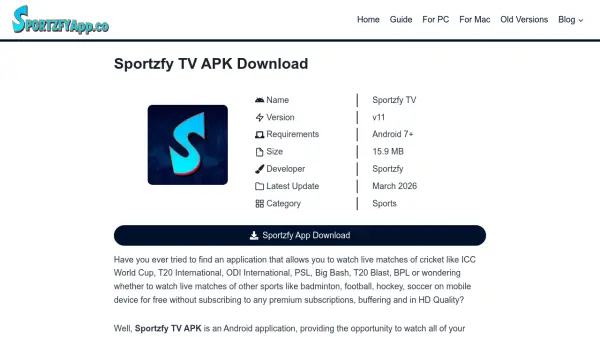
Sportzfy TV is an Android application designed for sports enthusiasts who want to watch live sports streams for free. It offers access to a wide range of sports channels covering cricket, football, soccer, hockey, badminton, and more, with content available in multiple languages for a global audience. The app features high-definition streaming up to 1080p resolution, an easy-to-use interface, and multiple server options to ensure uninterrupted viewing.
The application does not require login, registration, or subscriptions, providing instant access to live matches, highlights, and live score updates. It includes an inbuilt IPTV player for adding custom channels and supports notifications for upcoming matches. With a small file size of 15.9 MB, Sportzfy TV is lightweight and compatible with Android devices, while PC and Mac users can access it via Android emulators.
Features
- High Definition Quality: Stream live sports in up to 1080p HD resolution with automatic quality adjustment based on network conditions.
- Simple Interface: Easy-to-navigate user interface that allows quick access to live streams, highlights, and scores.
- Range of Sports Channels: Access a wide variety of sports channels covering cricket, football, soccer, and more in multiple languages.
- Direct Access to Cricket Channels: Dedicated channels for cricket matches, including international tournaments and leagues.
- Live Score Updates: Receive real-time score updates via notifications, ideal for users unable to watch live streams.
- Advanced Notifications: Get alerts for upcoming matches to ensure you never miss live action.
- No Login/Signup: No registration or login required, providing instant access to content.
- No Subscription/Membership: Completely free with no subscription fees or membership plans.
- Multiple Servers: Switch between multiple servers to avoid interruptions and ensure smooth streaming.
- Inbuilt IPTV Player: Add custom channels by entering names and URLs for personalized streaming.
Use Cases
- Watching live cricket matches such as ICC World Cup, T20 International, and PSL.
- Streaming football, soccer, hockey, and badminton games in HD quality.
- Accessing live sports highlights for quick recaps of matches.
- Receiving live score updates for sports events while on the go.
- Using an IPTV player to add and watch custom sports channels.
- Enjoying sports content on Android devices without paying for subscriptions.
- Watching sports on PC or Mac via Android emulators for a larger screen experience.
- Navigating sports channels easily with a simple, user-friendly interface.
FAQs
-
Is Sportzfy TV available for iOS devices?
No, Sportzfy TV is currently only available for Android devices. iOS users cannot download or use the app directly. -
Does Sportzfy TV support offline viewing?
No, Sportzfy TV does not support offline viewing at the moment. All content requires an internet connection to stream. -
How can I fix issues with loading live events on Sportzfy TV?
To fix issues, check your internet connection, update the app to the latest version, clear the app cache, and ensure your device meets the minimum system requirements. -
Can I use Sportzfy TV on a PC or Mac?
Yes, you can use Sportzfy TV on PC or Mac by installing an Android emulator, which allows you to run Android apps on these operating systems. -
Is Sportzfy TV safe to download and use?
Yes, Sportzfy TV is safe if downloaded from a trusted website. Ensure you enable security settings like Play Protect to reduce risks.