

What is Splend AI?
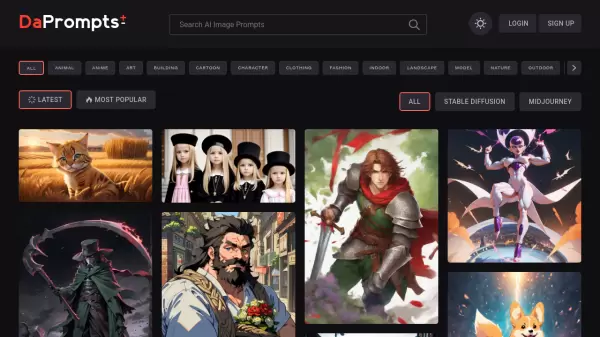
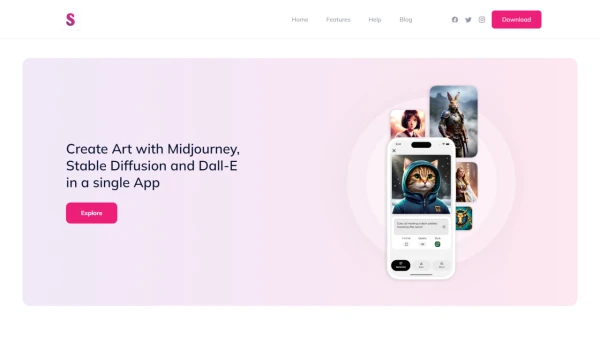
Splend AI is an innovative tool revolutionizing the world of digital art through artificial intelligence. It offers creatives an unprecedented avenue to imagine and craft portraits, artworks, and landscapes using straightforward textual descriptions. This application incorporates advanced AI technologies including Midjourney, Stable Diffusion, and Dall-E, allowing artists to either employ pre-defined styles or develop their own unique expressions.
Splend AI has a vibrant community where users can create profiles, share, and admire the wide array of generative creations. This digital platform personifies simplicity and accessibility, catering to AI artists of all skill levels while removing barriers to generative art creation. Whether you're crafting for personal enjoyment or for the burgeoning NFT market, Splend AI equips you with the tools to bring your creative vision to life.
To experience the full potential of creative freedom, users can effortlessly download the app from Google Play or the App Store, and delve into constructing masterpieces. Not only is the tool inclusive in its approach, but it also allows for seamless sharing, providing a window to exhibit and appreciate the extraordinary creations birthed from Splend AI's technological prowess.
Features
- Multi-Technology Support: Combines Midjourney, Stable Diffusion, and Dall-E.
- Community Sharing: Create a profile to share art within the AI artist community.
- Intuitive Creation: Generate portraits, landscapes, and more from simple descriptions.
- Style Customization: Use pre-defined styles or develop your own for unique artwork.
Use Cases
- Generative art creation for digital portfolios
- NFT artworks for creators and collectors
- Digital artistry and design experimentation
- Community engagement and profile sharing for artists
FAQs
-
What is Splend AI?
Splend AI is a tool that utilizes artificial intelligence to simplify generative art and NFT creation by combining advanced AI technologies such as Midjourney, Stable Diffusion, and Dall-E. -
How can I use Splend AI?
Users can generate stunning generative art and NFTs by providing simple textual descriptions and choosing from pre-defined styles or developing their own unique expressions within the app. -
What types of creations can be made with Splend AI?
Splend AI allows users to craft portraits, artworks, landscapes, and more through intuitive creation and style customization. -
Is Splend AI accessible to artists of all skill levels?
Yes, Splend AI caters to AI artists of varying skill levels by providing simplicity and accessibility in generative art creation. -
How can I share my creations using Splend AI?
By creating a profile within the tool, users can easily share their generative art within the AI artist community and engage in community sharing.