What is Space Make?
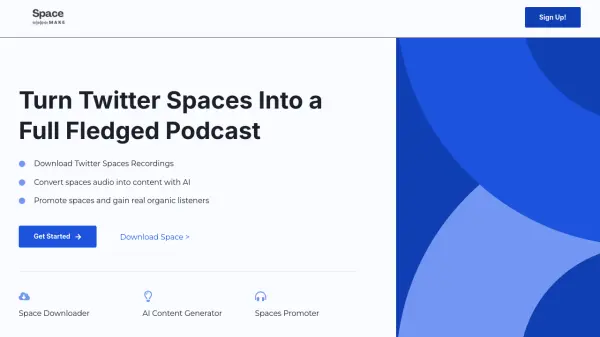
Space Make revolutionizes the way content creators utilize Twitter Spaces by providing a complete suite of tools for podcasting and content repurposing. The platform enables users to download Twitter Spaces recordings instantly and transform them into diverse content formats using advanced AI technology.
The service combines three essential functionalities: a space downloader for instant audio retrieval, an AI-powered content generator that creates multiple content pieces from audio, and a promotion tool to help creators expand their reach and attract organic listeners.
Features
- Instant Space Downloads: Free and unlimited Twitter Spaces audio downloading
- AI Content Generation: Converts audio into 10+ content formats
- Space Promotion: Tools to increase organic listener reach
- Multi-format Content Creation: Generates summaries, highlights, blog posts, and Twitter threads
- Video Clips Generation: Coming soon feature for video content creation
Use Cases
- Converting Twitter Spaces into podcast episodes
- Repurposing live audio content into written formats
- Creating social media content from Spaces recordings
- Building an audience for Twitter Spaces
- Archiving Twitter Spaces conversations
FAQs
-
What types of content can Space Make generate from Twitter Spaces?
Space Make can generate various types of content including summaries, key highlights, blog posts, Twitter threads, tweets, and soon videos and clips. -
Is the Twitter Spaces download feature free?
Yes, Space Make offers a free tool to download Twitter Spaces audio instantly, with unlimited downloads available in the Pro version.