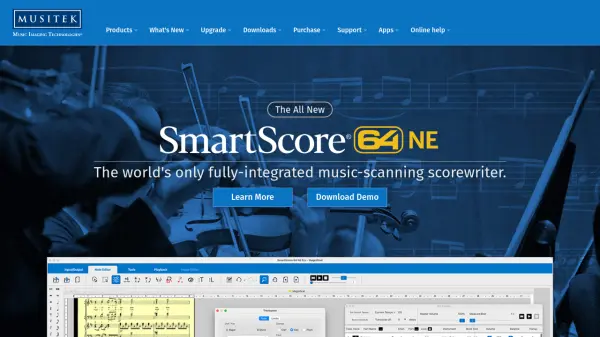
What is SmartScore?
SmartScore utilizes advanced optical music recognition technology to scan and convert printed sheet music and PDF files into fully editable digital notation. The software functions as a comprehensive scorewriter, allowing users to edit, transpose, and format musical scores with precision. It offers nuanced playback features and supports multiple output formats including MusicXML, MP3, MIDI, and PDF, making it suitable for various musical applications.
Available in multiple editions tailored to different needs, SmartScore provides specialized functionality for piano, guitar, songbook arrangements, and professional orchestral scores. The platform includes free companion apps for file sharing and mobile music capture, enhancing accessibility for collaborative projects and practice sessions. With over 30 years of development, it delivers reliable performance for music transcription, arrangement, and educational purposes.
Features
- Optical Music Recognition: Accurately scans and converts printed sheet music and PDFs into editable digital notation
- Notation Editor: Provides comprehensive editing tools for transposition, formatting, and score arrangement
- Playback Engine: Offers nuanced audio playback with tempo control and voice differentiation
- Multi-Format Export: Supports output to MusicXML, MP3, MIDI, and PDF formats
- Edition Specialization: Available in tailored versions for piano, guitar, songbook, and professional applications
Use Cases
- Transcribing printed sheet music into digital notation for arrangement
- Creating practice accompaniments by transposing and playing back scores
- Converting PDF music files into editable formats for notation software
- Distributing musical parts to choir or band members digitally
- Teaching music theory through interactive score playback and editing
FAQs
-
What file formats can SmartScore import?
SmartScore can import printed sheet music, scanned files, PDFs, and images captured from mobile devices. -
Which music notation programs are compatible with SmartScore exports?
SmartScore exports to MusicXML format, which is compatible with over 220 desktop programs and mobile apps including Finale, Sibelius, Dorico, Notion, MuseScore, and Noteflight. -
Are there free versions of SmartScore available?
Yes, SmartScore offers free desktop and mobile apps including SmartScore Player for file sharing and SmartScore NoteReader for mobile music capture and playback. -
What is the difference between SmartScore 64 NE editions?
Different editions cater to specific needs: Pro Edition handles complex arrangements, Songbook Edition is for vocal/piano scores, Guitar Edition recognizes TAB and notation, Piano Edition focuses on piano scores, and MIDI Edition converts to MIDI files only. -
Does SmartScore offer educational discounts?
Yes, SmartScore provides special pricing for schools, churches, and owners of other notation software like Finale and Dorico.