What is Skhokho?
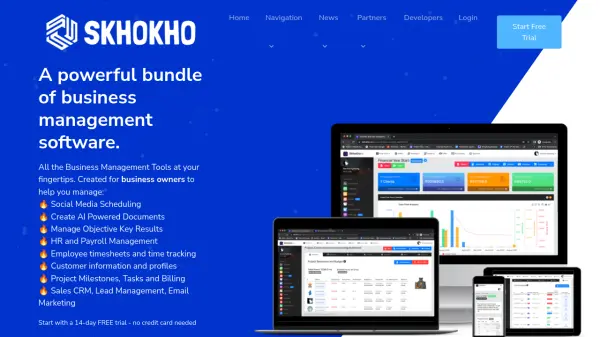
Skhokho provides a comprehensive suite of business management software designed to centralize daily administrative tasks for small businesses. It integrates various functions into a single platform, aiming for ease of navigation and usability, even for non-technical users. The platform offers tools for customer relationship management (CRM), project management, accounting, Human Resources (HR), and Objective Key Results (OKR) tracking.
Key functionalities include tracking business development opportunities, managing project milestones and tasks, handling invoicing and expenses, and managing employee records and leave. Skhokho also incorporates features like employee time tracking, social media scheduling with post-approval workflows, and an AI-powered document generator utilizing OpenAI's GPT-3.5 technology. Additionally, users can access certain features like creating invoices and quotes via a WhatsApp interface for enhanced mobile accessibility.
Features
- AI Document Generation: Create various business documents efficiently using OpenAI GPT-3.5 technology.
- Integrated CRM: Track leads, manage opportunities, and handle sales communications.
- Project Management: Manage project milestones, tasks, billing, and client access portals.
- HR Management: Handle employee records, leave management, and payroll.
- Accounting Tools: Manage invoicing, expenses, client profiles, and cash flow reports.
- OKR Management: Implement and track Objective Key Results methodology for teams.
- Social Media Scheduling: Schedule, approve, and publish posts across multiple accounts.
- Employee Timesheet Management: Track employee hours and allocate time to projects.
- WhatsApp Interface: Perform simple tasks like creating invoices and quotes via WhatsApp.
- Meeting Management: Schedule meetings, record action items, and distribute minutes.
Use Cases
- Centralize daily business administration tasks.
- Manage customer relationships and track sales pipelines.
- Oversee project progress, tasks, and resource allocation.
- Streamline HR processes like leave and payroll management.
- Generate invoices, track expenses, and monitor cash flow.
- Set and monitor team goals using the OKR framework.
- Schedule and manage social media content across platforms.
- Automate document creation using AI for contracts, reports, etc.
- Track employee time spent on projects and tasks accurately.
- Collaborate on documents, notes, and meetings within teams.
FAQs
-
How much does Skhokho cost?
Prices start as low as $20 per month and increase based on features and team members. The software includes modules for HR, invoicing, sales CRM, project management, and more. -
What happens after the Free Trial?
After the 14-day free trial, you can continue using Skhokho by making payment in advance for the upcoming month. -
Does Skhokho charge subscription in advance or arrears?
Skhokho subscription fees are charged monthly in advance. -
Do I need to Enter my Credit Card Details to get started?
No, you can start a 14-day free trial account without a credit card. -
Can I cancel my subscription at any time?
Yes, you can cancel anytime without cancellation fees by stopping payment, which automatically cancels the subscription.