What is Shortcut?
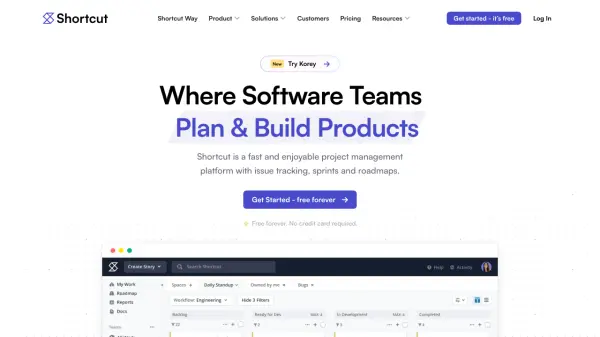
Shortcut is a comprehensive project management platform specifically designed for software development teams, combining traditional project management tools with AI-powered capabilities. The platform enables teams to track work from ideation through planning, execution, and release using customizable workflows, kanban boards, and sprint management features.
The platform includes AI agent collaboration through Korey, an AI agent for product engineering workflows that helps teams scope tasks, write PRs, and track progress directly within Shortcut. It offers extensive customization options, integrations with popular development tools like GitHub, GitLab, and Slack, and provides reporting capabilities to measure team progress and align work with company objectives.
Features
- AI Agent Collaboration: Collaborate with AI teammates to scope tasks and track progress
- Kanban Boards: Visualize and track work using customizable kanban boards
- Sprint Management: Plan and manage work in time-boxed iterations
- Roadmaps: Create big-picture views of project workloads and timelines
- Automations: Automate repetitive tasks and workflow processes
- Reporting Tools: Measure team progress with comprehensive reporting features
- Custom Workflows: Adapt the platform to match team-specific processes
- Integration Ecosystem: Connect with GitHub, GitLab, Slack, Figma, and other tools
Use Cases
- Software project management and issue tracking
- Product development workflow coordination
- Sprint planning and agile development management
- Team collaboration and progress tracking
- Strategic planning with objectives and key results
- Design project management and coordination
- Engineering team workflow optimization
- Product backlog prioritization and management
FAQs
-
What happens when the free trial period ends?
If you have 10 or fewer users when the trial ends, you can continue using Shortcut for free or manually choose a paid plan. If you have more than 10 users, you need to subscribe to a paid plan to continue using the platform. -
How does billing work for yearly Team or Business plans?
For yearly Team or Business plans, Shortcut uses metered billing which charges per user, per month during the yearly billing cycle. -
Can I get a refund if I cancel my subscription?
Shortcut does not offer pro-rated refunds for cancelled subscriptions. -
What features are available during the 14-day trial period?
During the trial, you have full access to all Shortcut features including unlimited Workspaces, user management, API access, webhooks, and all project management tools to build processes that work for your team.