
What is Session?
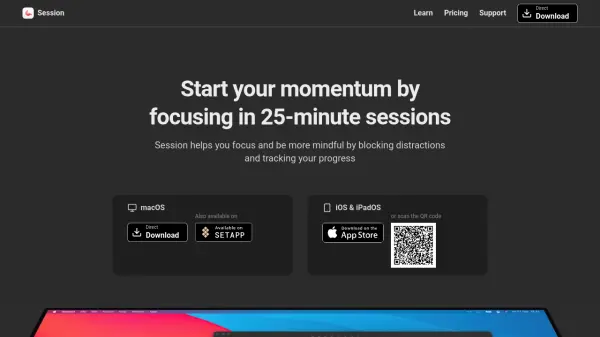
Session is designed to enhance productivity by helping users focus on their tasks with dedicated 25-minute sessions. The tool blocks distracting apps and websites on macOS, allowing users to stay in the zone without interruptions. At the end of each session, it encourages reflection by tracking progress and asking users what they've learned, fostering a mindful approach to personal and professional goals.
Available on macOS, iOS, and iPadOS, Session also offers real-time sync across devices and automated Slack status updates to minimize workplace distractions. Its comprehensive analytics, automation options, and secure cloud backups make it an ideal companion for anyone seeking to improve their workflow and maintain consistent momentum.
Features
- Distraction Blocking: Blocks apps and websites during focus sessions on macOS.
- Session Timer: Utilizes a 25-minute timer for focused work intervals.
- Progress Tracking: Logs user work and reflections after each session.
- Slack Integration: Automatically sets Slack status to minimize interruptions.
- Device Sync: Seamless synchronisation of sessions and data across iPhone, iPad, and Mac.
- Calendar Integration: Allows viewing and creating events tied to session activity.
- Automation Support: Integrates with AppleScript and Apple Shortcuts for automating tasks.
- Real-time Notifications: Sends notifications about session progress and completion.
- Cloud Backup: Stores user data securely on the cloud.
- Custom Duration: Allows customization of session and break lengths.
Use Cases
- Blocking distracting websites and apps while working or studying.
- Tracking and reviewing daily productivity and progress.
- Automating Slack status during focus sessions for fewer work interruptions.
- Syncing focus session data across macOS, iOS, and iPadOS devices.
- Integrating session schedules with Apple Calendar for seamless workflow management.
- Setting up personalized automation for music, lighting, and notifications during work sessions.
FAQs
-
On which devices is Session available?
Session is available on macOS, iOS, and iPadOS. -
How does Session block distractions?
Session blocks user-selected apps and websites during focus sessions and restores access once the session ends. -
Does Session support syncing across devices?
Yes, Session syncs your progress and sessions in real-time across iPhone, iPad, and Mac. -
What integrations does Session offer?
Session integrates with Slack for automated status updates and Apple Calendar for session scheduling. -
Is there a free version of Session?
Yes, Session offers a free plan with limited analytics and core session features.