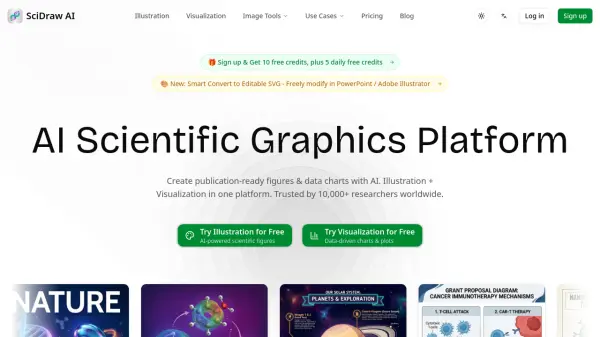
What is SciDraw AI?
SciDraw AI is a comprehensive AI scientific graphics platform designed specifically for researchers, PhD students, and academic professionals. It combines two powerful capabilities, AI-driven scientific illustration and data visualization, into a single platform. Users can generate professional figures by simply describing their scientific concept in text, uploading a hand-drawn sketch, or importing CSV/Excel data for chart generation. The platform supports journal-style presets for leading publications such as Nature, Science, and Cell, and produces outputs in SVG, PNG, PDF, EPS, and TIFF formats, making every figure submission-ready from the start.
SciDraw AI is built to eliminate the steep learning curve traditionally associated with scientific illustration software. Its conversational, multi-round AI optimization interface allows users to refine figures iteratively without any design experience. The platform offers 7+ professional templates covering graphical abstracts, journal covers, mechanism diagrams, and pathways, along with 6+ visual styles including flat, 3D, photorealistic, and schematic. With colorblind-friendly palettes, editable SVG vector exports compatible with Adobe Illustrator, Inkscape, and Figma, and a credit-based pay-as-you-go pricing model, SciDraw AI provides a cost-effective and efficient alternative to traditional scientific illustration services.
Features
- Text to Image: Describe a scientific concept in plain text and AI generates a professional illustration instantly.
- Sketch to Image: Upload hand-drawn sketches or reference images and AI transforms them into polished scientific visuals.
- Smart Data Charts: Import CSV or Excel data and AI produces publication-ready charts with automatically generated Python matplotlib/seaborn code.
- Journal Style Presets: One-click formatting presets for Nature, Science, Cell, PLOS, and ACS journal standards.
- SVG Vector Export: Download editable SVG files compatible with Adobe Illustrator, Inkscape, and Figma for local editing.
- Multi-Round AI Optimization: Refine illustrations through iterative conversational dialogue for precise adjustments.
- 10+ Chart Types: Includes box plots, violin plots, scatter plots, heatmaps, regression charts, and more.
- Colorblind-Friendly Palettes: Built-in Okabe-Ito and accessible color schemes for broader readability.
- 7+ Professional Templates: Pre-built templates for TOC graphics, journal covers, workflows, mechanism diagrams, and pathways.
- Multi-Format Export: Export figures as PNG, PDF, EPS, or TIFF to meet any journal requirement.
Use Cases
- Creating publication-ready figures for SCI journal submissions
- Generating graphical abstracts for research papers
- Visualizing molecular biology concepts such as CRISPR gene editing and protein folding
- Producing data charts from CSV or Excel files for academic publications
- Designing journal covers and conference poster graphics
- Illustrating physics concepts such as quantum wave-particle duality
- Creating mechanism diagrams and signaling pathway visualizations for theses and dissertations
- Preparing grant proposal illustrations with professional visual quality
- Converting hand-drawn sketches into polished scientific diagrams
- Maintaining consistent visual style across multiple figures in a research lab
How It Works
Create
Start with a professional template or describe your scientific concept in text. Alternatively, upload a hand-drawn sketch or CSV/Excel data file to generate your figure.
Edit
Refine your illustration through multi-round AI optimization using a conversational interface. Adjust colors, positions, text, and visual elements independently until the figure meets your requirements.
Share
Download your finished figure in your preferred format — SVG, PNG, PDF, EPS, or TIFF — and use it directly in journal submissions, grant proposals, or conference presentations.
FAQs
-
How long does it take to generate a scientific illustration?
AI generation is completed in approximately 3 minutes, with multi-round optimization taking around 15 minutes, compared to hours required by traditional drawing methods. -
Who owns the copyright of images generated on SciDraw AI?
Based on the platform's terms, generated images can be used for journal publication and commercial purposes, as indicated across all pricing plans including the free tier. -
What are the three AI generation modes available on SciDraw AI?
SciDraw AI offers Text to Image (generate from a text description), Sketch to Image (transform hand-drawn sketches), and Image Editing (multi-round dialog optimization for refining existing visuals). All three modes are available on paid plans. -
How does the credit system work on SciDraw AI?
SciDraw AI uses a credit-based pay-as-you-go system. Free users receive 10 credits on registration and 5 free credits every day. Paid plans offer 300 to 2,000 credits per month depending on the subscription tier, with each image costing approximately 5 credits. -
Which file formats can I export my figures in?
SciDraw AI supports export in SVG (editable vector format), PNG, PDF, EPS, and TIFF to meet the requirements of various academic journals and conferences.