What is rsstogif?
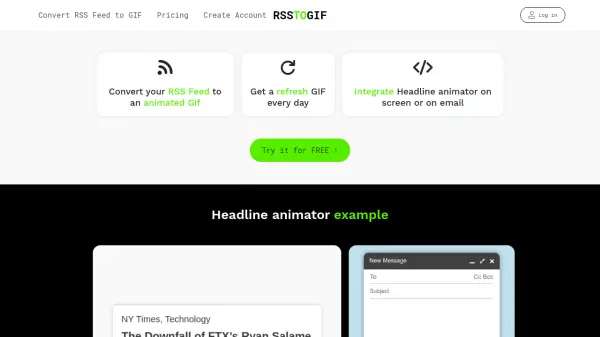
RSSTOGIF.com is a specialized platform that converts RSS feeds into animated GIFs, providing an innovative way to showcase website content. Users can input their RSS feed URL to generate a GIF that automatically updates with the latest headlines, making it ideal for email signatures and on-screen displays.
The service offers both free and premium tiers. The free version provides monthly updates with the RSSTOGIF.COM logo, while the premium version enables daily updates, customization options, and white-label capabilities without branding. This tool simplifies content syndication by transforming static RSS data into engaging visual animations.
Features
- RSS to GIF Conversion: Automatically transforms RSS feed content into animated GIF format
- Automatic Updates: GIFs refresh periodically with the latest content from the RSS feed
- Email Integration: Generated GIFs can be easily embedded in email signatures
- Customization Options: Premium users can customize GIF appearance and remove branding
- Update Frequency Control: Free version updates monthly, premium updates daily
Use Cases
- Creating animated email signature banners with latest blog posts
- Displaying recent website updates as animated content on web pages
- Generating marketing materials that automatically update with new content
- Enhancing newsletters with dynamic, self-updating visual elements
- Creating attention-grabbing content displays for social media or websites
FAQs
-
What is the difference between the free and premium versions?
The free version provides monthly updates with the RSSTOGIF.COM logo included, while the premium version offers daily updates, customization options, and white-label capabilities without branding. -
How often does the GIF update in the free version?
In the free version, the GIF automatically updates every month with the latest content from your RSS feed. -
Can I remove the RSSTOGIF.COM logo from my GIF?
Yes, you can remove the logo by upgrading to the premium version, which offers white-label capabilities. -
How do I integrate the generated GIF into my email signature?
After generating your GIF, you can copy the embed code or download the file to insert directly into your email signature settings. -
What types of RSS feeds are supported?
The tool supports standard RSS feeds from websites, blogs, and content management systems like WordPress.