

What is Rewording Tool?
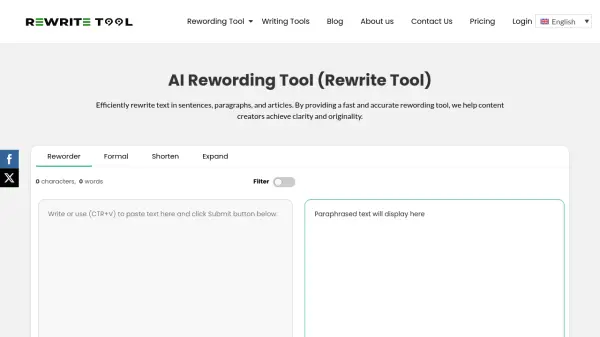
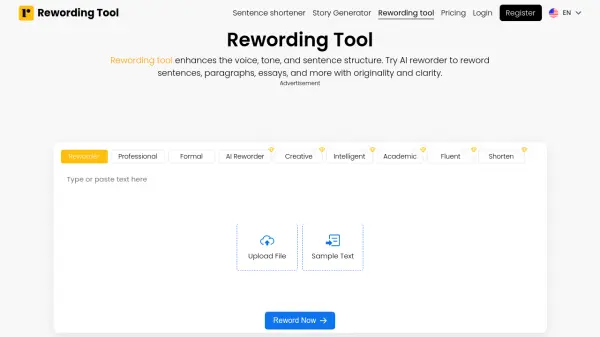
Rewording Tool utilizes advanced Artificial Intelligence and Natural Language Processing (NLP) technology to enhance written content. It intelligently analyzes text to understand its original meaning before rewriting it. The tool focuses on improving voice, tone, and sentence structure, replacing words and phrases with suitable synonyms to ensure the output is unique, readable, and engaging while preserving the core message.
Designed for ease of use, users can input text directly or upload files in formats like .txt, .doc, .docx, and .pdf. It offers various modes, including Professional, Formal, Creative, Intelligent, Academic, Fluent, and Shorten, allowing users to tailor the rewritten content to specific needs. The tool processes text quickly, maintaining accuracy and prioritizing readability, making it a helpful resource for refining various types of writing.
Features
- Intelligent AI Working: Uses AI and NLP to reword text while maintaining original meaning.
- Multiple Rewording Modes: Offers modes like Professional, Formal, Creative, Intelligent, Academic, Fluent, and Shorten.
- Multiple Uploading Options: Accepts text input via typing, pasting, or file upload (.txt, .doc, .docx, .pdf).
- Word Limit: Rewrites up to 1,000 words in a single attempt.
- Speed and Accuracy: Rewords text quickly and accurately.
- Readability Focus: Enhances the readability and understandability of the text.
- Privacy Guarantee: Does not store or share user data.
Use Cases
- Rewording sentences, paragraphs, and essays for improved clarity and originality.
- Avoiding plagiarism by creating unique versions of existing text.
- Adapting content tone for different audiences using various modes (e.g., formal, creative).
- Enhancing blog posts for better readability and engagement.
- Assisting students in rewriting academic papers to maintain integrity.
- Helping digital marketers create effective and engaging content.
- Refining copywriting with persuasive language and ideal tone.
- Reducing redundancy and repetition in written content.
FAQs
-
What is the best AI reworder?
Rewordingtool.io offers an advanced AI reworder that uses sophisticated algorithms to change words and phrases, delivering high-quality, refined results trusted by many writers. -
Is my data safe when using this tool?
Yes, the tool prioritizes user privacy and does not store any user information or data on its servers, ensuring it is 100% secure. -
What are the benefits of rewording text?
Rewording helps improve content clarity through better word choice and sentence structure, avoids plagiarism by making content unique, and reduces redundancy by introducing new vocabulary. -
Can I reword a sentence online using this tool?
Yes, you can easily reword sentences online. The tool uses advanced technology to restate text with new words and phrases, giving your sentence a fresh and polished look.