What is Raven?
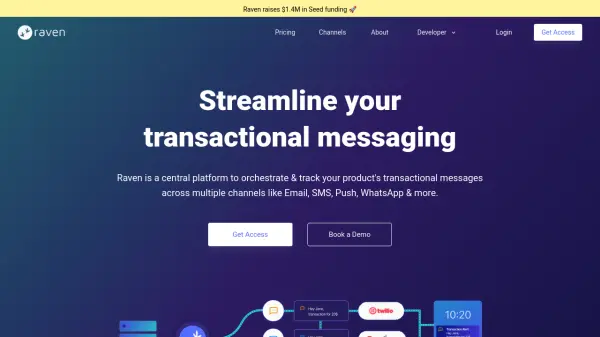
Raven provides a unified platform for managing transactional notifications across various communication channels. It integrates with over 40 major providers across 10 channels, allowing users to send messages through Email, SMS, Push, WhatsApp, Voice, In-App, and Chat without managing individual APIs. The platform features a no-code template editor for creating and updating notifications quickly, intelligent orchestration with fallback and retry rules to ensure timely delivery, and consolidated logs and analytics for tracking performance across all channels.
With Raven, engineering and product teams can streamline notification workflows, reduce development time, and gain actionable insights into delivery metrics. The platform is built for scale, handling millions of API requests and notifications with high uptime and low latency, making it suitable for businesses of all sizes looking to enhance their user communication strategies.
Features
- Channel Management: Send on any channel with one API, integrating with 40+ providers across 10 channels
- No-Code Template Editor: Complete control on templates with a no-code editor for quick updates
- Intelligent Orchestration: Configure fallbacks, retries, and rules to ensure timely delivery
- Logs & Analytics: End-to-end tracking and consolidated data from all vendors in a single dashboard
- Scalable Infrastructure: Built for scale with high uptime, low latency, and support for millions of notifications
Use Cases
- Managing OTP notifications across multiple channels
- Orchestrating transactional emails and SMS for e-commerce
- Sending critical alerts via push notifications and WhatsApp
- Tracking and analyzing notification delivery performance
- Streamlining user communication workflows for product teams
FAQs
-
What is an Event in Raven?
Events are triggers when notifications are sent to users, such as for an OTP or transaction success. Each event can define multiple channels, templates, and configurations, with charges based on the number of events processed, not individual notifications. -
How is usage calculated?
Usage is based on the number of Events successfully processed. Invalid requests or error API calls are not counted, and bulk events are tallied by the total successfully processed count. -
Do unused events roll over to the next month?
No, unused events do not roll over to the next billing period if you are under your free limit. -
Is there a discount for startups?
Yes, early-stage startups can contact Raven for a discount on pricing plans.