What is Rainmeter?
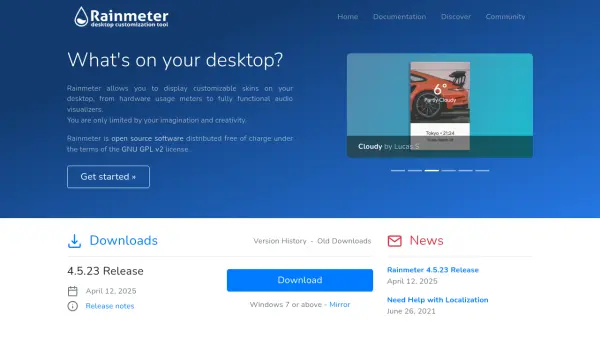
Rainmeter is an open-source software application that allows users to display customizable skins directly on their desktop. These skins can range from simple hardware usage meters to fully functional audio visualizers, providing users with tools to personalize their computing environment according to their preferences and needs. The software is distributed free of charge under the terms of the GNU GPL v2 license, making it accessible to a wide audience without financial barriers.
The platform includes starter skins for new users and supports a thriving community where members create, share, and modify skins. Rainmeter uses minimal hardware resources, ensuring it runs efficiently on PCs using Microsoft Windows 7 through Windows 11. It also serves as a robust toolkit, enabling users to create and modify their own skins using a simple, easy-to-learn language, fostering creativity and technical skill development.
Features
- Customizable Skins: Display hardware usage meters, audio visualizers, and other functional elements on the desktop
- Open Source: Distributed free under GNU GPL v2 license with accessible source code
- Resource Efficient: Uses minimal hardware resources, compatible with Windows 7 through 11
- Community Driven: Thriving community creates, shares, and modifies skins with support forums and resources
- Toolkit Functionality: Includes a simple language for creating and modifying skins, fostering user creativity
Use Cases
- Personalizing desktop interfaces with custom widgets and meters
- Monitoring system hardware usage in real-time on the desktop
- Creating audio visualizers for music playback visualization
- Developing custom skins for functional or aesthetic desktop enhancements
- Learning basic programming through skin modification and creation
FAQs
-
What operating systems does Rainmeter support?
Rainmeter is compatible with Microsoft Windows 7 through Windows 11. -
Is Rainmeter free to use?
Yes, Rainmeter is distributed free of charge under the GNU GPL v2 license. -
How can I get help with using Rainmeter?
Users can visit the forum, join the unofficial Rainmeter Discord, or access the #rainmeter IRC channel on Libera.Chat for assistance. -
Where can I find new skins for Rainmeter?
New skins can be discovered on the discover page, which lists better places to get and modify skins. -
Does Rainmeter require advanced programming skills?
No, Rainmeter uses a simple language that is easy to learn for creating and modifying skins.