What is Putler?
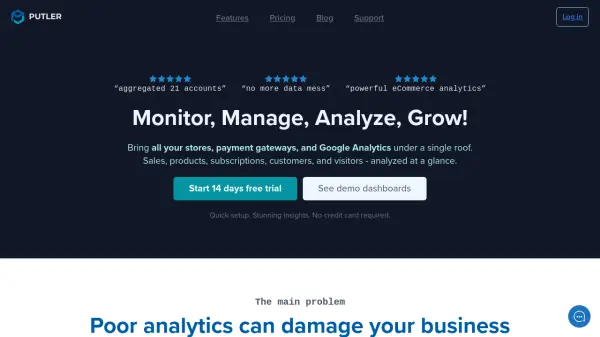
Putler transforms scattered and inconsistent business data into actionable insights by aggregating information from multiple payment gateways, e-commerce stores, and analytics tools in one intuitive dashboard. Businesses gain clarity on sales, products, customers, and subscriptions, benefiting from instant answers to questions about revenue trends, top-performing items, customer segmentation, and growth opportunities.
The platform supports over 17 integrations, offers intelligent data merging and cleanup, and enriches customer profiles with additional insights. Features like advanced segmentation, forecasting, weekly email reports, and direct order management empower both daily operations and long-term business strategy. With a focus on ease of use and accuracy, Putler streamlines business analytics for data-driven profitability and efficiency.
Features
- Multi-Source Data Integration: Connects with 17+ payment gateways, e-commerce platforms, and analytics tools.
- Intelligent Data Cleanup: Automatically merges, de-duplicates, and corrects scattered data across accounts.
- Advanced Analytics Reports: Offers 200+ metrics including sales trends, KPIs, product analytics, SaaS metrics, and customer profiling.
- Custom Segmentation: DIY filters, historical analytics, advanced drill-downs, and saved segments for deep insights.
- Order and Subscription Management: Issue refunds, manage orders, and subscriptions instantly from the dashboard.
- Automatic Currency & Timezone Conversion: Standardizes financial data for global businesses.
- Weekly Email Reports: Delivers actionable insights and summaries direct to your inbox.
- Team Collaboration: Unlimited users (on Growth plan), with granular permission controls.
- Forecasting & Goal Setting: Growth modeling and revenue goal planning tools.
- Customer Enrichment: Adds website, geolocation, and behavioral analytics to customer profiles.
Use Cases
- Consolidating e-commerce data from multiple stores and payment gateways.
- Generating sales, product, customer, and subscription performance reports for business strategy.
- Identifying top customers and upsell opportunities through advanced segmentation.
- Monitoring SaaS metrics such as MRR, ARR, churn, and customer lifetime value.
- Issuing refunds or managing order-related customer support efficiently.
- Analyzing traffic sources, visitor devices, and sales conversion rates.
- Detecting market trends to optimize marketing campaigns and scaling efforts.
- Forecasting revenue and setting data-driven growth goals.
FAQs
-
What is a data source or integration in Putler?
A data source or integration is any external account you connect with Putler, such as payment gateways (e.g., PayPal, Stripe), e-commerce platforms (e.g., WooCommerce, Shopify), marketplaces (e.g., Etsy), Google Analytics, or MailChimp. -
How does Putler’s billing work?
Putler uses metered billing, tracking your monthly revenue and charging based on the corresponding plan tier. Billing automatically adjusts each month according to your revenue. -
Is coding knowledge required to use Putler?
No, Putler requires no technical or coding expertise. Setup involves connecting your accounts, after which Putler manages all analytics and calculations automatically. -
Does the free trial include all features?
Yes. The 14-day free trial provides access to all Putler features, allowing unlimited account connections and transaction analysis within the trial's 90-day data window. -
Can I manage order refunds and subscriptions directly within Putler?
Yes, Putler allows users to issue refunds and manage subscriptions efficiently without needing to access individual payment provider dashboards.