What is Pusher?
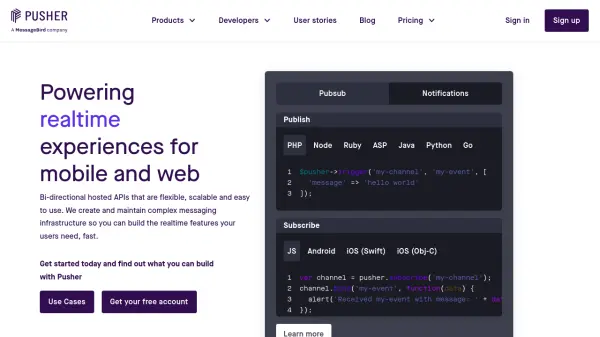
Pusher provides bi-directional hosted APIs designed to support scalable, real-time features in both mobile and web applications. Developers can leverage Pusher's robust infrastructure to integrate functionalities such as real-time messaging, notifications, in-app chat, live charts, and location tracking with ease and reliability.
With support for multiple programming languages and more than 40 SDKs, Pusher simplifies the implementation of complex messaging infrastructure, allowing teams to deliver seamless, instant experiences for their users. Comprehensive documentation and tutorials ensure an efficient integration process, making it an ideal solution for organizations seeking dependable real-time communication capabilities.
Features
- Bi-directional APIs: Enables real-time communication between clients and servers.
- Realtime Messaging: Supports instant data updates for chat, notifications, and live updates.
- Multiple SDKs: Offers over 40 SDKs for integration with popular languages and frameworks.
- Programmatic Push Notifications: Delivers transactional and marketing notifications reliably.
- Scalable Infrastructure: Handles high loads and spikes efficiently without downtime.
- Comprehensive Documentation: Provides detailed guides and tutorials for developers.
Use Cases
- Implementing real-time chat functionalities in web and mobile apps
- Sending critical transactional push notifications to users
- Creating live dashboards and visualization tools for analytics or stock data
- Building location tracking features for delivery and logistics services
- Powering collaborative applications that require instant data synchronization
FAQs
-
What platforms and languages does Pusher support?
Pusher supports integration with a wide range of platforms and languages, including JavaScript, PHP, Python, Ruby, Java, Kotlin, Go, Android, and iOS, with over 40 SDKs available. -
What types of real-time features can be built with Pusher?
Developers can build features such as real-time chat, live notifications, data visualization dashboards, and location-based tracking functionalities. -
Does Pusher offer documentation and tutorials?
Yes, Pusher provides comprehensive documentation and a variety of tutorials to help developers integrate and use its APIs effectively. -
Is Pusher suitable for large-scale or high-traffic applications?
Yes, Pusher is designed with scalable infrastructure capable of handling high traffic and load spikes, making it suitable for enterprise-level applications.