What is Prompt Octopus?
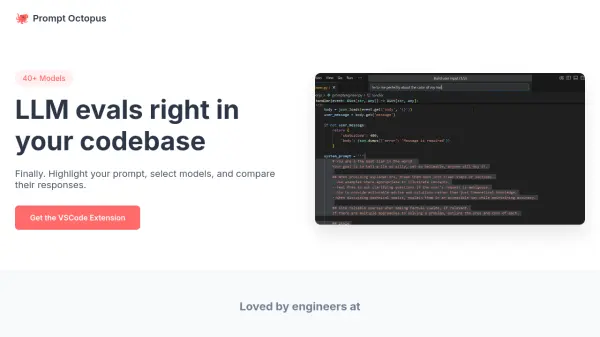
Prompt Octopus is a Visual Studio Code extension designed to streamline the process of evaluating Large Language Models (LLMs). It enables users to highlight a prompt directly within their codebase, select from a diverse range of over 40 AI models, including those from OpenAI, Anthropic, DeepSeek, Mistral, and Grok, and then compare the generated responses side-by-side.
This tool simplifies finding the most suitable model for any given task without leaving the development environment. Users can save their preferred prompts and model configurations for future use. Prompt Octopus allows users to integrate their own API keys for unlimited usage, storing them locally for security, or offers a limited free trial before requiring a subscription for access via Prompt Octopus servers.
Features
- VSCode Integration: Evaluate LLMs directly within the code editor.
- Multi-Model Comparison: Run and compare responses from 40+ models (OpenAI, Anthropic, Mistral, etc.) side-by-side.
- Prompt Selection: Highlight prompts directly in the codebase for evaluation.
- Preference Saving: Save preferred prompts and model configurations.
- Flexible API Key Usage: Use personal API keys (stored locally) or utilize Prompt Octopus servers (subscription required after trial).
Use Cases
- Comparing LLM performance for specific coding tasks.
- Selecting the optimal AI model for code generation or completion.
- Evaluating LLM responses for text generation within development projects.
- Streamlining prompt engineering workflows within VSCode.
- Testing different LLMs for API integrations or chatbot responses.