What is Powermode AI?
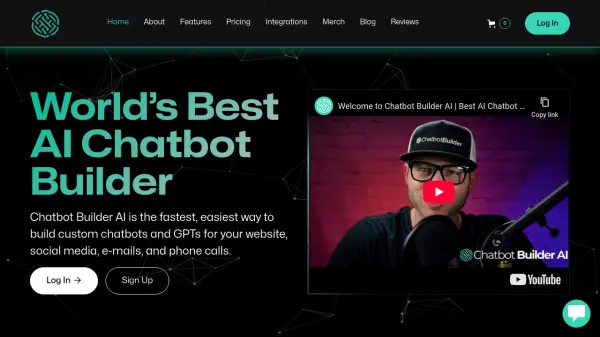
Powermode AI provides an intuitive platform for creating sophisticated AI chatbots without requiring any programming knowledge. Users can design, train using their specific data, and launch chatbots tailored to their unique requirements. This allows businesses and individuals to automate interactions and streamline processes effectively.
The platform supports multi-channel deployment, enabling chatbots to operate on websites, Slack, WhatsApp, and other platforms through Zapier integration. It offers features like pre-built templates to accelerate development and an analytics dashboard to monitor chatbot performance, making it a versatile solution for enhancing customer engagement and operational efficiency.
Features
- No-Code Chatbot Builder: Create AI chatbots using a drag-and-drop interface.
- Custom Training Data: Train chatbots using your own documents, website content, or FAQs.
- Multi-Channel Deployment: Deploy chatbots on websites, Slack, WhatsApp, and more.
- Zapier Integration: Connect chatbots to thousands of other applications via Zapier.
- Analytics Dashboard: Monitor chatbot interactions, performance, and user engagement.
- Pre-built Templates: Start quickly with ready-to-use chatbot templates for various use cases.
Use Cases
- Automating Customer Support responses 24/7.
- Generating and qualifying leads through website interactions.
- Providing instant answers from an internal knowledge base for employees.
- Assisting with HR processes and employee onboarding.
- Enhancing e-commerce experiences with product recommendations and support.
FAQs
-
Do I need coding skills to use Powermode AI?
No, Powermode AI features a user-friendly, no-code builder, allowing anyone to create chatbots without programming knowledge. -
What kind of data can I use to train my chatbot?
You can train your Powermode AI chatbot using various data sources, including documents (like PDFs), website content, and frequently asked questions. -
Can I integrate the chatbot with other applications I use?
Yes, Powermode AI supports integrations with popular platforms like Slack and WhatsApp, and connects to many other applications through Zapier. -
Where can I deploy the chatbots created with Powermode AI?
Chatbots can be deployed across multiple channels, including your website, Slack workspaces, and WhatsApp.