
What is Pingtumi?
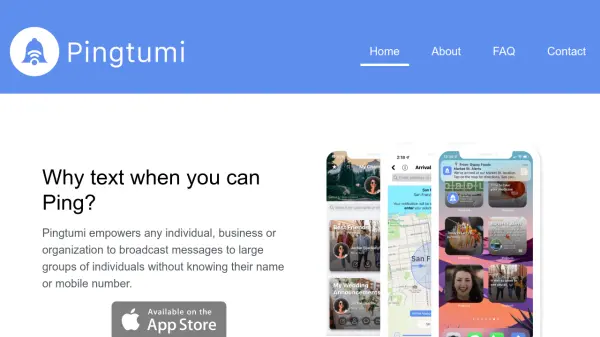
Pingtumi is a comprehensive broadcasting platform designed to facilitate communication between individuals, businesses, or organizations and large groups of recipients without requiring personal contact information. The tool allows users to create dedicated channels for broadcasting various types of content, similar to television channels, where messages can be distributed to subscribers who join through the app or by scanning QR codes attached to physical materials.
The platform supports rich media messaging capabilities including images, videos, maps, web links, calendar invites, documents, and polls, with options to schedule messages by time or location. Additionally, Pingtumi enhances iMessage functionality with specialized apps for creating greeting cards, AI-generated images, sticky notes, location sharing, reminders, video sharing, calendar events, polls, shared lists, and availability coordination.
Features
- Channel Creation: Create dedicated channels for broadcasting content to subscribers
- QR Code Subscription: Invite subscribers via QR codes attached to physical materials
- Rich Media Messaging: Send messages with images, videos, maps, links, documents, and polls
- Scheduled Messaging: Schedule messages by time or location for optimal delivery
- iMessage Integration: Supercharge iMessage with apps for cards, AI images, location, reminders, and more
- Channel Chat: Enable chat functionality to communicate directly with message recipients
- Home Screen Customization: Customize app home screen with widgets for channel alerts
- AI Image Generation: Create images using artificial intelligence through the iMessage app
Use Cases
- Business marketing campaigns to customer groups
- Community announcements for neighborhoods or organizations
- Event coordination and reminders for groups
- Educational institutions communicating with students or parents
- Non-profit organizations broadcasting updates to supporters
- Personal group messaging with friends and family
- Retail businesses promoting offers to customers
- Service providers sending appointment reminders or updates