
What is PECU?
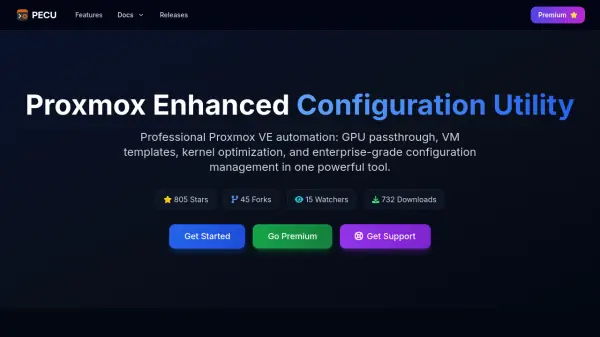
PECU (Proxmox Enhanced Configuration Utility) is a professional automation tool designed specifically for Proxmox VE environments. It provides intelligent configuration management with features including GPU passthrough assistance, declarative VM templates, kernel optimization, and enterprise-grade security hardening. The tool offers automated setup with intelligent hardware detection, comprehensive configuration management with validation and rollback capabilities, and real-time performance monitoring with optimization recommendations.
Built with security-first principles, PECU includes compliance checks for enterprise environments and automated backup validation with configuration versioning. It supports multi-node deployment across clusters and offers both community (free) and premium versions with advanced features. The utility helps administrators streamline Proxmox management through guided workflows, safer defaults, and practical guardrails that reduce risk and downtime in production environments.
Features
- Declarative VM Templates: CLI-based VM provisioning with YAML configuration files
- Multi-GPU Passthrough: Advanced GPU management and IOMMU helpers for NVIDIA/AMD/Intel cards
- Rollback & Recovery: Safe configuration changes with instant rollback capabilities
- Automated Setup: Intelligent auto-detection and configuration of optimal Proxmox settings based on hardware
- Performance Monitoring: Real-time monitoring and optimization recommendations for peak performance
- Security Hardening: Built-in security best practices and compliance checks for enterprise environments
Use Cases
- Automating Proxmox VE server configuration and optimization
- Setting up GPU passthrough for virtual machines
- Creating and managing declarative VM templates
- Hardening Proxmox security configurations
- Managing multi-node Proxmox cluster deployments
- Preparing hosts for AI/ML workloads with CUDA toolkit guidance
- Standardizing host setups across development teams
- Implementing backup and recovery procedures for Proxmox configurations
FAQs
-
When will paid plans be available?
Paid plans are coming soon, with pricing and features subject to change before the official launch. -
What is the refund policy for paid plans?
At launch, individual plans will include a 30-day money-back guarantee. -
Can PECU be used in commercial environments?
Yes, commercial use is allowed with Team Packs offering simple licensing for blocks of 10 nodes. -
Does PECU provide remote cluster management?
No, PECU provides utilities, templates, and safer defaults but does not offer remote orchestration, SSO, or RBAC features. -
How is licensing counted for PECU?
Licensing is counted by host (node), with Team Packs sold in blocks of 10 nodes and individual plans for 1-2 personal activations.