What is PartBolt?
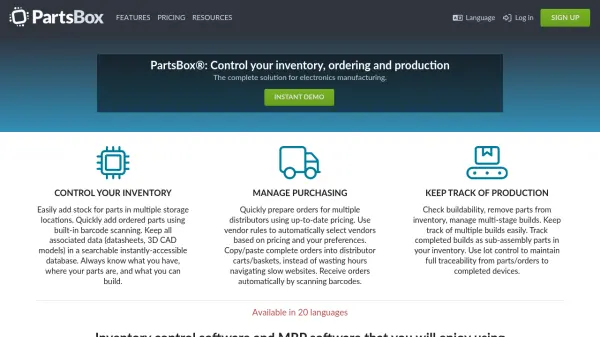
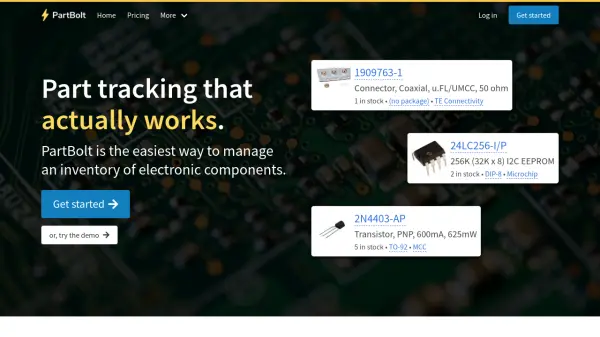
PartBolt is a cloud-based inventory management platform designed specifically for electronic components. It enables users to track parts, manage bills of materials (BOMs), and streamline purchasing from distributors. With features like fast search, datasheet integration, and project tracking, PartBolt serves as a central hub for component management, helping engineers and hobbyists reduce time spent searching for parts and focus on building projects.
The platform offers cloud synchronization for team collaboration, supports imports from Altium, KiCad, and CSV files, and provides detailed build history and lot control. PartBolt's pricing engine checks multiple distributors for optimal purchasing decisions, and all data can be exported as JSON for backup or integration. Plans range from a free tier to enterprise options with custom features.
Features
- Inventory Management: Track what parts you have, where they are, and quantities with fast search and integrated datasheet links.
- BOM Import and Project Tracking: Upload Altium, KiCad, or CSV files to generate a Bill of Materials and track progress throughout builds.
- Purchasing Management: Manage orders from distributors with full traceability from order to inventory to production.
- Cloud Sync: Synchronize data across systems, support multiple users, and export data as JSON.
- Pricing and Availability: Import a BOM and check part prices across multiple distributors.
- Lot Control: Track the origin and movement of every item in your inventory.
- API Access: Integrate custom applications via REST API.
- Multi-Stage Project Builds: Keep track of every stage in a project's build, including subassemblies.
Use Cases
- Managing inventory of electronic components for electronics engineering projects.
- Tracking bills of materials and build progress for PCB assembly.
- Ordering parts from distributors and linking them to inventory and production.
- Collaborating on component management with a team in a cloud-synced environment.
- Exporting inventory data for integration with other systems.
FAQs
-
How does the free trial work?
When you sign up, you get a 14-day free trial of the Professional plan. After the trial, you can choose to subscribe to any paid plan or continue with the Free plan. -
Can I import my existing data?
Yes, it's easy to import data from your current part database, even if it's just a spreadsheet. -
What's your refund policy?
New subscriptions come with a 30-day money-back guarantee. Cancel within 30 days and you'll receive a full refund automatically. -
How secure is my data?
We use industry-standard encryption and security practices. Your inventory data is backed up daily and stored securely in the cloud. You can export your data as a JSON file at any time. -
Do you offer custom features?
Yes, we can work directly with you to add features that would help your workflow.