Outspeed favicon

Outspeed
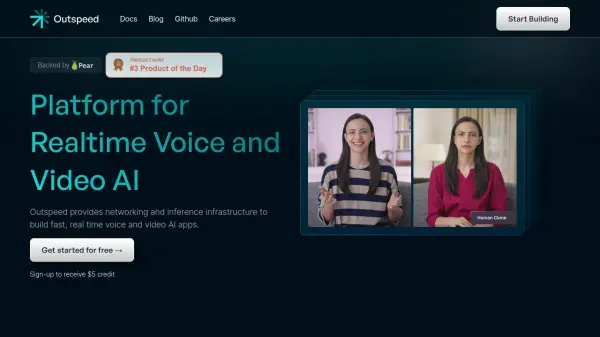
Platform for Realtime Voice and Video AI

What is Outspeed?

Outspeed is an advanced AI platform built by engineers from Google and MIT, specifically designed for real-time AI applications. The platform provides comprehensive networking and inference infrastructure that enables developers to create sophisticated voice and video AI applications with minimal latency.

The platform features robust streaming infrastructure, low-latency inference capabilities, and instant deployment options. With support for multiple SDK components, custom model integration, and comprehensive monitoring tools, Outspeed ensures enterprise-grade performance while maintaining compliance with SOC2, GDPR, and upcoming HIPAA regulations.

Features

  • Robust Streaming Infrastructure: Handle high-volume, bidirectional data streams for voice and video
  • Low-latency Inference: Process data streams on-the-fly with minimal delay
  • Instant Deployment: Deploy AI applications globally with automatic scaling
  • Enterprise Compliance: SOC2, GDPR, & HIPAA (coming soon) compliant
  • Custom Model Support: Integration of custom models and model library access
  • SDK Components: Platform-specific development tools
  • Comprehensive Monitoring: Built-in observability and logging features
  • Scalability: Support for thousands of concurrent instances

Use Cases

  • Voice AI assistants and transcription
  • Streaming avatar creation
  • Real-time visual intelligence systems
  • Meeting co-pilot services
  • Customer service automation
  • Educational AI applications
  • Healthcare imaging analysis
  • Virtual event hosting

FAQs

  • What kind of models does Outspeed support?
    Outspeed supports various model APIs including GPT, Gemini, Llama, Fireworks, Llava, SDXL, and allows users to bring their own custom models.
  • What compliance standards does Outspeed meet?
    Outspeed is compliant with SOC2, GDPR, and is working on HIPAA compliance (coming soon).
  • How does Outspeed handle scaling?
    Outspeed can scale to thousands of instances running concurrently with automatic scaling to meet demand and built-in redundancy for high availability.

Helpful for people in the following professions

Related Tools:

Blogs:

  • AI tools for video voice overs

    AI tools for video voice overs

    Discover the next level of video production with AI-powered voiceover tools. Enhance your content effortlessly, ensuring professional-quality narration for your videos.

  • Best ai tools for Twitter Growth

    Best ai tools for Twitter Growth

    The best AI tools for Twitter's growth are designed to enhance user engagement, increase followers, and optimize content strategy on the platform. These tools utilize artificial intelligence algorithms to analyze Twitter trends, identify relevant hashtags, suggest optimal posting times, and even curate personalized content.

  • Best AI Tools For Startups

    Best AI Tools For Startups

    we've compiled a straightforward list of user-friendly AI tools designed to give startups a boost. Discover practical solutions to streamline everyday tasks, enhance productivity, and gain valuable insights without the need for a tech expert. Learn where and how these tools can be applied in your startup journey, from automating repetitive tasks to unlocking powerful data analysis. Join us as we explore the features that make these AI tools accessible and beneficial for startups in various industries. Elevate your business with technology that works for you!

  • Top 6 AI note-taking tools for 2026: in-person, online, and hybrid use cases

    Top 6 AI note-taking tools for 2026: in-person, online, and hybrid use cases

    Most AI note-taking lists are really lists of meeting bots, which join your video call and transcribe it. That's useful, but it's half the picture. Decisions happen in hallway conversations, client dinners, on-site visits, and hybrid rooms where nobody is on a video link. This guide covers different parts of the note-taking workflow: hardware capture for in-person settings, platform-native tools for online calls, and AI layers for organizing and synthesizing what you've captured. It compares six tools by capture context, workflow fit, pricing, and limitations.

Didn't find tool you were looking for?

Be as detailed as possible for better results