What is Nodes?
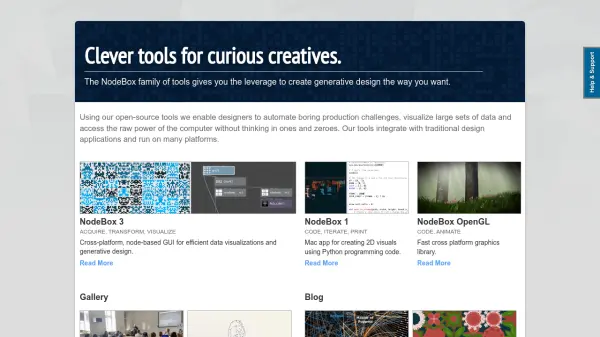
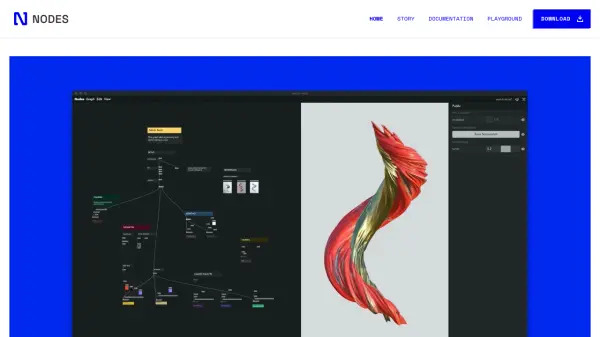
Nodes offers a unique thinking space tailored for programmers, designers, and creatives to explore, iterate, and manifest ideas visually. The software enables users to compose code in reusable blocks, sketch out program structures, annotate components, and experiment freely, all within a canvas-like environment. Nodes supports top-down or bottom-up problem-solving, making it easy to zoom into details or maintain a broad conceptual overview of any project.
By allowing seamless integration with WebGL, HTML, CSS, JavaScript, and popular toolchains like Ramda and D3, Nodes is suitable for a wide range of tasks—from generating procedural 3D geometries and building interactive applications to parsing and visualizing complex data. Its modular approach encourages remixing, annotation, and the export of customized tools or parameters to empower tech-savvy users and clients. Nodes is designed for everyone who sees programming as a creative process rather than just syntax management.
Features
- Visual Programming: Compose and connect reusable code blocks on a visual canvas.
- Real-Time 3D Graphics: Create and export videos from 3D scenes using WebGL frameworks.
- Modular Architecture: Combine blocks into larger programs and refine as you go.
- Interactive Prototyping: Build web and desktop apps using HTML, CSS, and JavaScript.
- Data Visualization: Parse, analyze, and visualize data, and export in formats like CSV and JSON.
- Procedural Geometry Generator: Create models and export for use in third-party tools such as Blender.
- Remix and Export: Annotate, remix, and export code or parameters for others to use.
- Cross-Platform Support: Available for Windows, MacOS, and Linux.
- Easy Experimentation: Experiment with ideas and subprojects alongside main work.
- Integration with Toolchains: Supports popular libraries for data and design workflows.
Use Cases
- Creating real-time 3D visualizations for design and art projects.
- Building interactive web, desktop, or mobile applications rapidly.
- Generating and exporting procedural geometry for use in 3D modeling software.
- Prototyping custom tools tailored to client or internal needs.
- Parsing, analyzing, and transforming data for scientific or business visualization.
- Developing educational materials that demonstrate programming concepts visually.
- Collaborating across design, development, and data disciplines.
FAQs
-
Which operating systems are supported by Nodes?
Nodes can be downloaded and run on Windows, MacOS, and Linux platforms. -
Can I integrate Nodes with existing web or data visualization frameworks?
Yes, Nodes allows integration with frameworks like WebGL for 3D graphics and popular data visualization libraries such as Ramda and D3. -
What export options does Nodes provide?
Nodes enables users to export code blocks, procedural geometries, and transformed data files in formats like CSV and JSON for use in other tools.