What is NoCrop App?
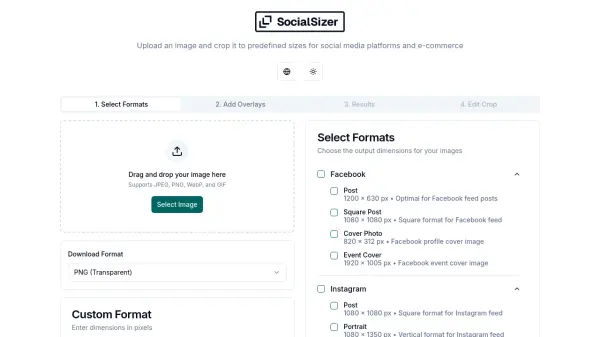
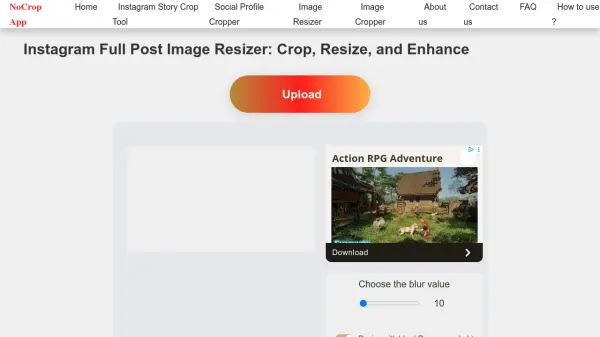
NoCrop App provides a solution for Instagram users who want to share full-size images without losing important details to cropping. The tool allows users to upload images and adjust them to fit Instagram's various post dimensions, including square (1:1), portrait (4:5), and landscape (1.91:1) formats. Instead of cropping out sections of the image, it fills empty spaces with custom backgrounds like blur effects or solid colors.
The platform ensures high-quality exports without compression or pixelation, making it suitable for creating professional-looking Instagram content. With an intuitive interface, users can quickly resize single images or process multiple files in batches, streamlining the workflow for social media posting.
Features
- Full-Size Image Support: Upload and resize images without unwanted cropping
- Aspect Ratio Adjustments: Automatically adjust images to Instagram's square (1:1), portrait (4:5), and landscape (1.91:1) formats
- Custom Backgrounds: Add blur, gradient, or solid color backgrounds to fill empty spaces
- High-Quality Export: Save images in HD without compression
- Batch Resizing: Resize multiple images at once for faster workflow
- Simple and Intuitive Interface: Easy-to-use design for hassle-free editing
Use Cases
- Resizing Instagram posts to avoid cropping important image sections
- Preparing images for Instagram stories with proper dimensions
- Creating professional-looking Instagram reels with custom backgrounds
- Batch processing multiple images for social media campaigns
- Enhancing photos for Instagram feeds without using complex editing software