What is Nexus?
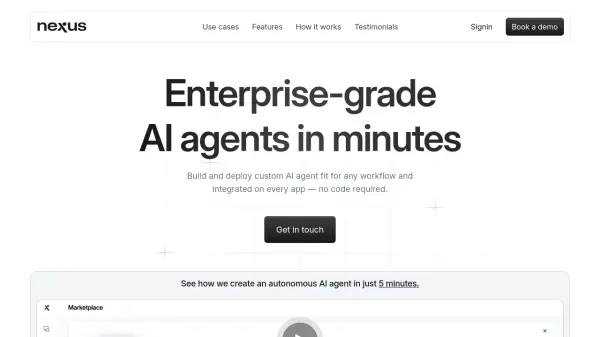
Nexus is a platform designed for creating and deploying enterprise-grade AI agents without requiring coding skills. It empowers users to build custom agents tailored for specific workflows swiftly. These agents function autonomously, capable of handling complex sequences of tasks and integrating knowledge from various sources.
Nexus agents can be seamlessly embedded into existing business applications, including the Microsoft Office suite (Word, PowerPoint, Excel, Outlook), Microsoft Teams, WhatsApp, company websites, and even phone systems. The platform supports diverse knowledge inputs such as PDF, DOCX, TXT, PPTX, and EML documents, including images, alongside connections to Notion, Google Drive, and websites. Users can enhance agent capabilities by selecting from over 1500 external plugins or integrating their own internal tools using API specifications. Flexibility extends to the choice of Large Language Models (LLMs), supporting options from OpenAI, Mistral, Claude, and various open-source models. Nexus prioritizes security, achieving ISO 42001 compliance.
Features
- Autonomous Task Completion: Agents independently execute complex workflows.
- No-Code Agent Builder: Create AI agents through conversational interface without coding.
- Document Interaction: Enables agents to work directly within Microsoft Word, PowerPoint, and Excel templates.
- Plugin Integration: Access over 1500 existing plugins or integrate custom/internal tools via API specifications.
- Enterprise Security: Adheres to high security standards, including ISO 42001 compliance.
- Multi-App Deployment: Deploy agents directly on websites, Microsoft Teams, WhatsApp, Email, Phone, and as Microsoft Office add-ins.
- Flexible LLM Integration: Utilize LLMs from OpenAI, Mistral, Claude, or various open-source models.
- Multi-modal Knowledge Integration: Upload various document types (PDF, DOCX, PPTX, EML) including images, and connect to Notion, Drive, and websites.
Use Cases
- Automating sales processes like company research and pitch deck creation.
- Building AI agents for roles like Sales Interviewer or Social Media Manager.
- Creating Business Intelligence agents for data analysis and reporting.
- Automating workflows requiring specific skills like email finding, news aggregation, competitor analysis, and LinkedIn profile searching.
- Enhancing productivity by integrating AI agents into existing company applications and workflows.