What is Narakeet?
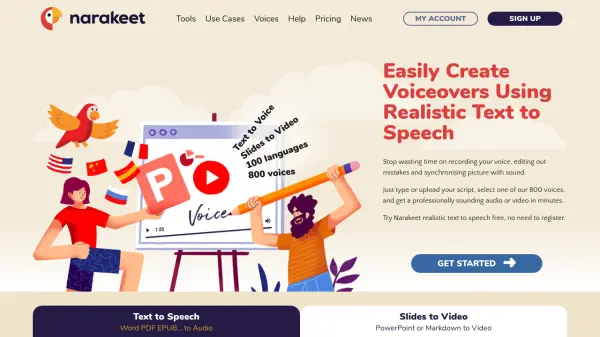
Narakeet is an AI-powered platform that simplifies audio and video creation. It utilizes advanced text-to-speech technology to transform scripts and presentations into professional-quality content. With support for 100 languages and a selection of 800 voices, Narakeet offers a versatile solution for creating audio files (MP3, M4A, WAV) and narrated videos (MP4).
The platform streamlines the content creation process by eliminating the need for manual voice recording and complex editing. Users can simply upload their scripts or presentations, select a suitable voice, and generate their desired output in a matter of minutes. Narakeet is a powerful tool for anyone looking to improve workflow and avoid time wasted on manual voice over, editing or synchronization.
Features
- Text to Speech: Convert Word documents, text scripts, or subtitle files into audio files (MP3, M4A, WAV).
- Slides to Video: Turn PowerPoint presentations or Markdown scripts into MP4 videos.
- AI Voice Generator: Access 800 voices across 100 languages for realistic text-to-speech conversion.
- Subtitle to Audio Conversion: Synchronized audio dubbing from SRT or WebVTT files.
- Automated Video Production: Create multiple video versions, integrate with APIs, and build documentation videos.
- Video from Images and Audio: Use Markdown scripts to embed visual assets and create videos.
Use Cases
- Creating training videos
- Producing marketing videos
- Generating audio versions of blogs and articles
- Making educational videos and language lessons
- Developing interactive voice response messages
- Creating audiobooks
- Dubbing videos in different languages
- Automating video production for documentation
- Creating social media videos
- Creating voiceovers for YouTube videos
FAQs
-
How many languages and voices does Narakeet support?
Narakeet supports 100 languages and offers 800 voices. -
Can I try Narakeet for free?
Yes, you can try Narakeet's realistic text-to-speech for free without registering. -
What types of files can I use as input for Narakeet?
You can use Word documents, PDFs, EPUB files, PowerPoint presentations, Markdown scripts, SRT files, and WebVTT files. -
What audio output formats does Narakeet support?
Narakeet supports MP3, M4A, and WAV audio formats. -
Does Narakeet Have API?
Yes, Developers can use the Narakeet API.