
What is MyKaraoke Video?
MyKaraoke Video is an online tool designed to streamline the karaoke and lyric video creation process. It eliminates the need for complex software installations, providing a fully browser-based experience.
The platform provides features like automatic and manual lyric syncing, and powerful tools like a sync editor. Users can fully customize their videos, setting backgrounds with colors, images, or videos, and choosing their preferred font styles and colors. MyKaraoke Video ensures fast exports in high-quality 1080p MP4 format.
Features
- 1-Click Karaoke Maker: Generate a complete karaoke video effortlessly.
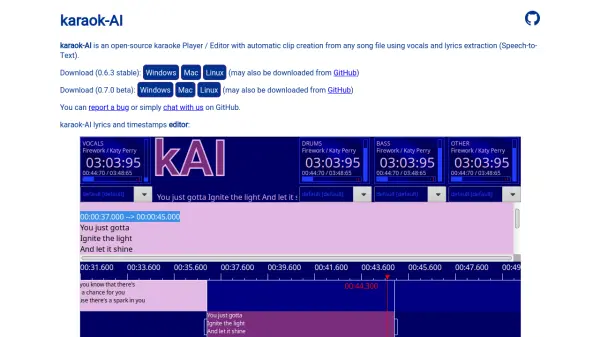
- Automatic Lyrics Sync: AI-powered feature to automatically sync lyrics with vocals.
- Powerful Sync Editor: Fine-tune the lyric sync for perfect alignment.
- 1-Click Lyric Video Maker: Create professional-quality lyric videos with scrolling lyrics.
- Instant Preview: Preview your karaoke and lyric videos in real-time.
- Full Customization: Customize backgrounds, fonts, and colors.
- Lightning-Fast 1080p MP4 Export: Export videos quickly in high-quality.
- Duet Mode: Sync two voices and customize each with different styles and colors.
Use Cases
- Creating karaoke videos for personal entertainment.
- Producing lyric videos for musicians and content creators.
- Generating content for karaoke channels on platforms like YouTube.
- Making custom karaoke tracks for events or parties.
FAQs
-
What is MyKaraoke Video?
MyKaraoke Video is a browser-based tool designed to help you create professional karaoke videos quickly and easily. Simply upload your song and paste the lyrics—our tool will remove the vocals and automatically sync the lyrics for you. You can also customize backgrounds, fonts, and colors, and export high-quality videos faster than any other tool. The entire process takes less than 5 minutes. -
Do I need to install any software to use MyKaraoke Video?
No, MyKaraoke Video runs entirely in your browser. There's no need to install or update any software on your computer. -
Can I use my own instrumental audio?
Yes, you can use your own instrumental audio. If you have an isolated vocal track, our system can automatically sync the lyrics for you. If not, you can manually sync the lyrics using our Sync Editor. -
Can I create lyric videos with it?
Yes, you can upload your song and paste its lyrics to create a lyric video with MyKaraoke Video. You can customize the background, text, and colors to create a unique video. You can also export the video with or without the vocal track. -
What file formats are supported for music uploads?
MyKaraoke Video supports all modern audio file formats, including MP3, AAC, WAV, FLAC and more, ensuring maximum compatibility.