mobuddy favicon

mobuddy
Illuminating Everyday with Intelligence

What is mobuddy?

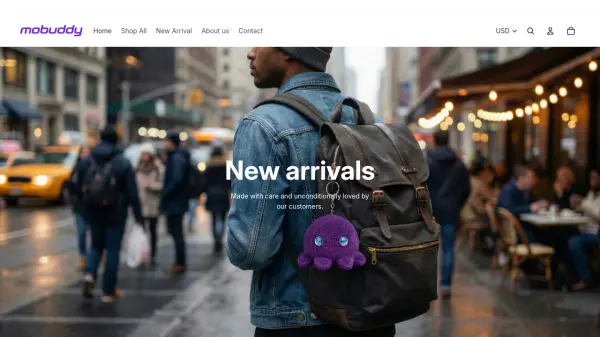
mobuddy is a brand dedicated to creating cutting-edge AI products that seamlessly integrate technology into everyday life. The company focuses on designing stylish and innovative gear for the modern, tech-savvy generation, ranging from smart toys to AI car accessories.

Their product lineup includes AI-powered items such as plushie toys, alarm clocks, smart cameras, and video walkie-talkies for kids, all aimed at enhancing daily experiences with intelligent features.

Features

  • AI Plushie Toy: Intelligent soft toy with AI capabilities
  • AI Alarm Clock: Smart alarm with plush design and audio features
  • AI Smart Camera: Camera with AI recognition and touch screen
  • Video Walkie Talkie: AI-powered communication device for kids

Use Cases

  • Enhancing children's learning with AI toys
  • Improving bedtime routines with smart alarm clocks
  • Providing interactive communication for kids
  • Adding intelligent features to everyday accessories

Related Tools:

Blogs:

  • Chat with PDF AI Tools

    Chat with PDF AI Tools

    Easily interact with your PDF documents using our advanced AI-powered tool. Whether you're reading lengthy reports, research papers, contracts, or eBooks, our platform lets you chat directly with your PDF files, ask questions, extract insights, and get summaries in real-time.

  • Best AI tools for Room Design

    Best AI tools for Room Design

    Discover cutting-edge AI tools that redefine the art of room design. From layout optimization to aesthetic finesse, these top-tier tools enhance your space to new heights.

  • Top 6 AI note-taking tools for 2026: in-person, online, and hybrid use cases

    Top 6 AI note-taking tools for 2026: in-person, online, and hybrid use cases

    Most AI note-taking lists are really lists of meeting bots, which join your video call and transcribe it. That's useful, but it's half the picture. Decisions happen in hallway conversations, client dinners, on-site visits, and hybrid rooms where nobody is on a video link. This guide covers different parts of the note-taking workflow: hardware capture for in-person settings, platform-native tools for online calls, and AI layers for organizing and synthesizing what you've captured. It compares six tools by capture context, workflow fit, pricing, and limitations.

Didn't find tool you were looking for?

Be as detailed as possible for better results