What is MasteringBOX?
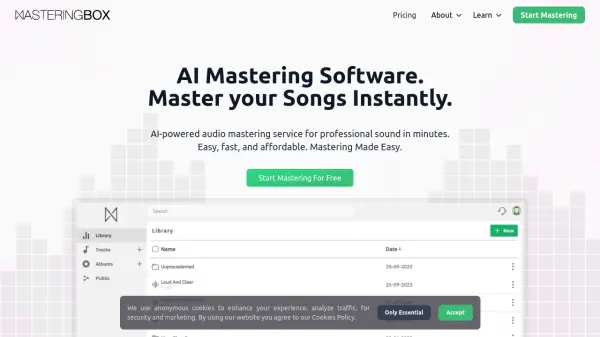
MasteringBOX offers an advanced AI-powered solution for audio mastering, allowing users to enhance their tracks instantly through an intelligent, automated process. By analyzing the dynamic and spectral characteristics of each upload, the platform applies expert adjustments, enabling anyone to achieve high-quality, release-ready masters in minutes without specialized skills.
The service features customizable loudness and EQ controls, album management, multi-format downloads, and interactive sharing capabilities such as artist profiles and a modern audio player. Its intuitive interface supports hobbyists and professionals alike, making mastering both accessible and efficient while reducing the time and money spent on traditional studio mastering.
Features
- Instant Mastering: Upload and master your tracks within minutes using AI-powered technology.
- Customizable Controls: Fine-tune loudness and EQ settings to match your artistic vision.
- Multi-Format Download: Export mastered tracks in formats such as MP3, WAV, HD WAV, and M4a.
- Album Management: Organize, group, and manage multiple tracks or albums with cover art and metadata editing.
- Unlimited Remastering: Re-master projects at no extra cost whenever needed.
- Interactive Sharing: Share tracks with friends, receive comments and likes, and build artist profiles.
- Professional Sound Quality: Achieve high-quality results comparable to studio mastering.
- Affordable Pricing: Benefit from free limited mastering or upgrade for unlimited premium access.
Use Cases
- Indie musicians mastering demo tracks for self-release
- Producers preparing albums for digital streaming platforms
- DJs seeking instant audio enhancement for live sets
- Songwriters sharing mastered songs with collaborators
- Audio engineers quickly preparing mixes for client preview
- Podcasters optimizing episode sound quality before publishing
FAQs
-
How does the AI mastering process work?
MasteringBOX analyzes the dynamic and spectral characteristics of your uploaded track to determine and apply optimal mastering settings, leveraging artificial intelligence for professional-sounding results. -
What audio formats can be exported?
Mastered tracks can be downloaded in MP3, WAV, HD WAV, and M4a formats, with support for embedded cover art and metadata. -
Is it possible to preview and re-master tracks without extra costs?
Yes, users can preview, fine-tune, and re-master their tracks as many times as needed without additional charges. -
Does MasteringBOX offer a free plan?
Yes, a free plan is available that allows users to master one track per day with basic storage and controls. -
Can albums be managed and shared on the platform?
Users can organize tracks into albums, set album information and cover art, and share their music via interactive artist profiles and social features.